

heading
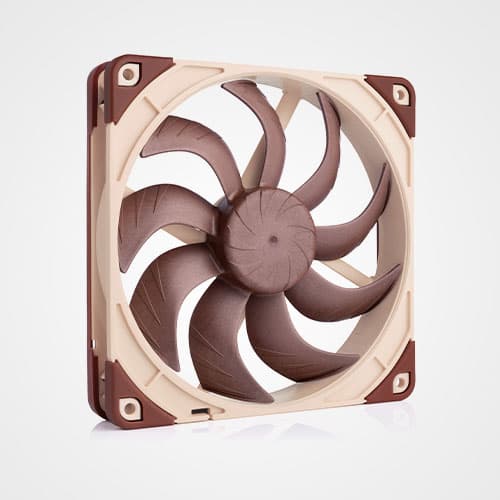
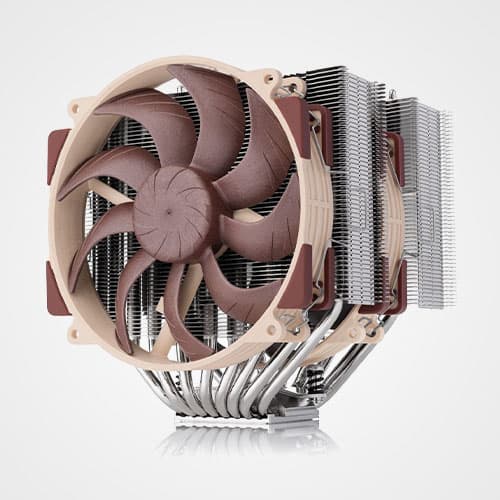
Teaming up eleven stator guide vanes with a specially conceived seven blade impeller, the NF-F12’s Focused Flow™ system creates outstanding static pressure and focuses the airflow for superior performance on heatsinks and radiators. At the same time, a wide range of advanced aerodynamic design measures, second generation SSO-Bearing and Noctua’s new, custom designed PWM IC for fully automatic control guarantee astounding quietness of operation. The NF-F12 comes with modular cabling, integrated anti-vibration pads and two speed settings for full flexibility. Its commanding performance, exhaustive set of features and Noctua’s trusted premium quality make it an elite choice for use on air coolers, radiators and other pressure demanding applications.
NF-F12 Feature Overview (PDF) Focused Flow™ System Stepped Inlet Design Inner Surface Microstructures SSO2 Bearing Metal Bearing Shell NE-FD1 PWM IC Which Noctua 120mm fan should I choose? |
Details |
Focused Flow™ Frame
Designed for pressure demanding applications such as heatsinks and radiators, the Focused Flow™ frame features eleven stator guide vanes that straighten, channel and focus the airflow, which allows the NF-F12 to rival the performance of conventional fans running at much faster speeds.
|
Varying Angular Distance and Vortex Control Notches
The NF-F12's stator guide vanes are set out in Varying Angular Distance and feature Vortex-Control Notches. Both measures help to spread the noise emission over a broader frequency spectrum and thus make the fan's sound pattern more agreeable to the human ear.
|
Heptaperf™ Impeller
Custom designed for the new Focused Flow™ frame and to work in tandem with the eleven stator guide vanes, the NF-F12's seven blade Heptaperf™ impeller has been carefully optimised to achieve a perfect balance between power and quietness.
|
Stepped Inlet Design
Noctua's Stepped Inlet Design adds turbulence to the influx in order to facilitate the transition from laminar flow to turbulent flow, which reduces tonal intake noise, improves flow attachment and increases suction capacity, especially in space-restricted environments.
|
Inner Surface Microstructures
With the tips of the fan blades ploughing through the boundary layer created by the Inner Surface Microstructures, flow separation from the suction side of the blades is significantly suppressed, which results in reduced blade passing noise and improved airflow and pressure efficiency.
|
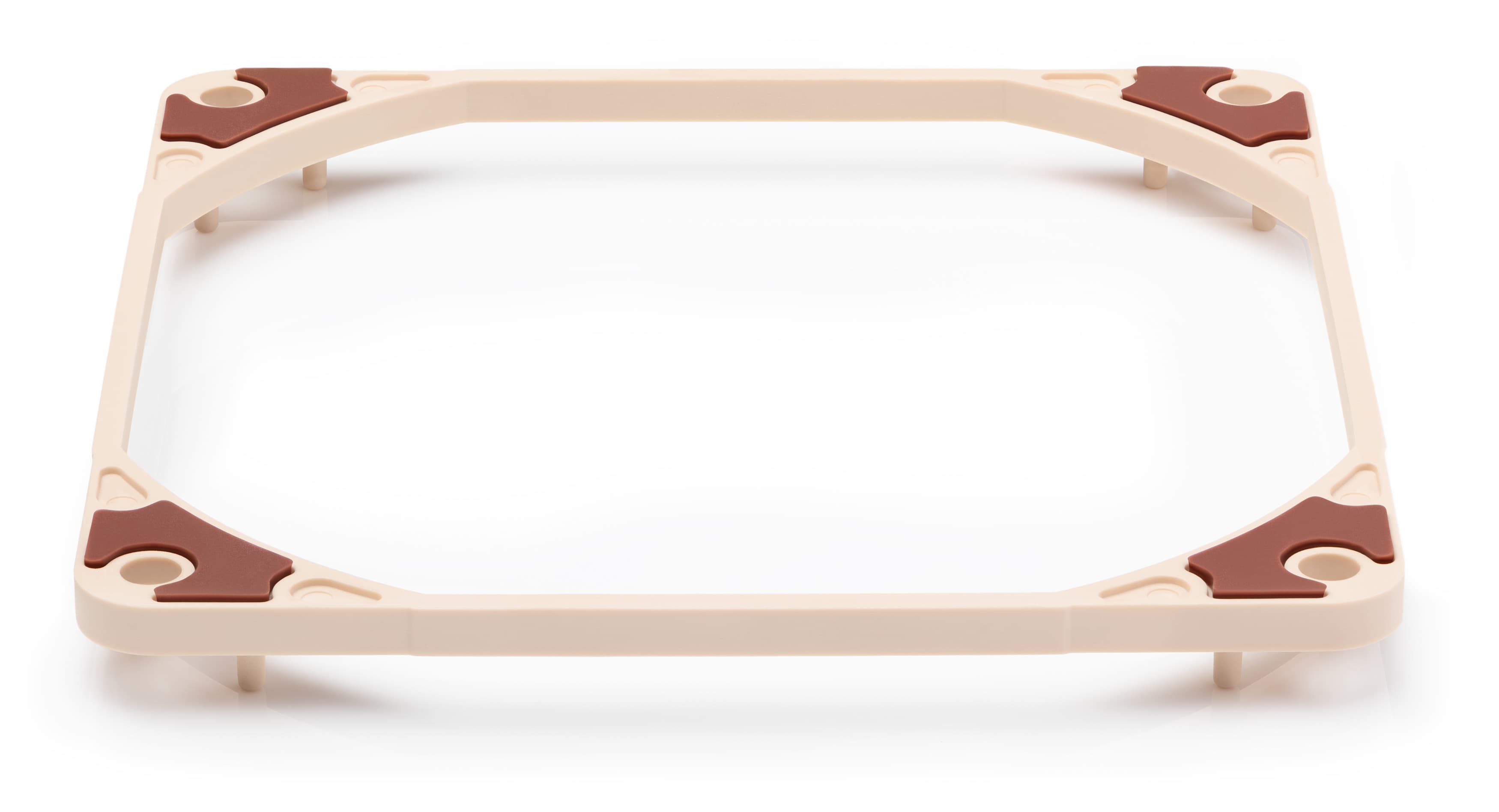
Integrated Anti-Vibration Pads
Integrated Anti-Vibration Pads made from extra-soft silicone minimise the transmission of minute vibrations while maintaining full compatibility with all standard screws and other mounting systems.
|
SSO2 Bearing
The NF-F12 is the first fan to feature the further optimised second generation of Noctua's renowned, time-tested SSO bearing. With SSO2, the rear magnet is placed closer to the axis to provide even better stabilisation, precision and durability.
|
Metal bearing shell
In order to guarantee the highest possible degree of manufacturing precision, minimum tolerance and excellent long-term stability, the NF-F12 sports a CNC milled bearing shell made entirely from brass.
|
Custom-designed PWM IC with SCD
Supporting fully automatic PWM speed control, the NF-F12 uses Noctua's novel, custom-designed NE-FD1 PWM IC that integrates Smooth Commutation Drive (SCD) technology. By providing smoother torque impulses, SCD suppresses PWM switching noises and thus makes the fan quieter at lower speeds.
|
Ultra-Low Power Consumption
The NF-F12 draws only 0.6W, which is more than 50% less than many fans in the same speed range. This doesn't only make it eco-friendly but also cuts down the electricity bill: Compared to a typical 2W fan, this allows you to save about half the price of the NF-F12 after 5 years of continuous use.
|
Low-Noise Adaptor
The NF-F12 is supplied with a (L.N.A.) that reduces the maximum fan speed from 1500 to 1200rpm. The L.N.A. can be used either to run the fan at a fixed speed of 1200rpm or to cap the maximum speed when using automatic PWM control.
|
Extensive cabling options
The fan's short 20cm primary cable minimises cable clutter in typical applications while the supplied 30cm extension provides extended reach when necessary. Both cables are fully sleeved and a 4-pin y-cable allows the connection of a second NF-F12 fan to the same PWM fan header for automatic control.
|
6-year manufacturer’s warranty
Noctua fans are renowned for their impeccable quality and outstanding longevity. Like all Noctua fans, the NF-F12 features an MTBF rating of more than 150.000 hours and comes with a full 6-year manufacturer's warranty.
|
|
||
|
Size
120x120x25 mm
|
||
|
Mounting hole spacing
105x105 mm
|
||
|
Connector
4-Pin PWM
|
||
|
Bearing
|
||
|
Blade Geometry
Heptaperf™
|
||
|
Frame Technology
|
||
|
Rotational Speed (+/- 10%)
1500 RPM
|
||
|
Rotational Speed with L.N.A. (+/- 10%)
1200 RPM
|
||
|
Min. Rotational Speed (PWM, +/-20%)
300 RPM
|
||
|
74,3 m³/h
|
||
|
Acoustical Noise
22,4 dB(A)
|
||
|
Acoustical Noise with L.N.A.
18,6 dB(A)
|
||
|
Static Pressure
2,61 mm H₂O
|
||
|
Static Pressure with L.N.A.
1,83 mm H₂O
|
||
|
Max. Input Power
0,6 W
|
||
|
Max. Input Current
0,05 A
|
||
|
Voltage
12 V
|
||
|
MTTF
> 150.000 h
|
||
|
Scope of Delivery
|
||
|
Warranty
6 years
|
|
NF-F12 PWM Video
|
|
|
The following video reviews have not been created by Noctua. Responsibility for the information and views expressed in the videos lies entirely with the authors.
|
|||||||
|
|
|||||||
|
|||||||
|
|
|||||||
|
|||||||
|
|
|||||||
|
|||||||
NF-F12 PWM Review
Ik ben zeer tevreden over de Noctua NF-F12 ventilatoren, ze presteren erg goed en ze zijn fluisterstil. Zet je de fans op 100% (fixed), dan zijn ze zelfs nog stiller dan de standaard Corsair H100i GTX ventilatoren in hun laagste stand. Koeler, stiller en beter. Dat zijn de drie woorden waarin in deze ventilator kan beschrijven. Ondanks de prijs is dit een topper van een ventilator, wat mij betreft het beste merk wat op dit moment op de markt is. Daarbij krijg je ook nog 6 jaar garantie en diverse kabels zodat je zeker weet dat je direct aan de slag kan met je nieuwe ventilator.
|
|||||||
|
Test verdict: "Ik zou zeggen: koop er vandaag nog een, aanrader!" (Rob Lammerts, Tweakers.net)
|
|||||||
|
|||||||
NF-F12 PWM Review
Von der Kühlleistung her hat der Noctua NF-F12 industrialPPC-2000 PWM die Nase vorne, knapp vor dem originalen Gespannt von Corsair. Das hat uns ein wenig gewundert, denn die Drehzahl ist bei den Noctua doch niedriger. Anscheinend ist der Aufbau der Lüfter so gut konstruiert, so dass man hier einen kleinen Vorteil erkämpfen kann.
|
|||||||
|
Test verdict: "Wer also das nötige Kleingeld übrig hat, sollte gleich zum Besten greifen und nach einer passenden Lösung suchen. Wenn man bei der hohen Leistung bleiben will, sind die Noctua NF-F12 industrialPPC-2000 PWM eine perfekte Alternative, da diese um Einiges leiser sind und trotzdem eine brachiale Leistung bieten." (Rene Ruf, Hardwareoverclock.com)
|
|||||||
|
|||||||
NF-F12 PWM Review
Il montaggio delle ventole avviene in un batter d’occhio anche se non lo si è mai fatto ed è agevolato dalla presenza di cavi di prolunga o sdoppiamento.
Queste due soluzioni sono davvero silenziose, a case chiuso la loro presenza resta un vero e proprio mistero!
|
|||||||
|
Test verdict: "Consiglio caldamente, o sarebbe il caso di dire freddamente (ora potete anche compatirmi per la battuta, NdR), questi due compagni delle estati italiane." (Andrea Giorgio, SpazioiTech.it)
|
|||||||
|
|||||||
NF-F12 PWM Review
Riguardo le F12, appositamente create per utilizzo su radiatori e dissipatori ad aria, vantano delle pale denominate Heptaperf che permettono di ottimizzare i consumi e mantenere silenziosità e flusso elevati, mentre la vera chicca è sicuramente la tecnologia Focused Flow che grazie ad una forma particolare della griglia posteriore (tagliata in alcune parti) permette di ottenere un flusso ad elevata pressione statica (ben 2.61 mmH2O) rendendole perfette in raffreddamenti a liquido di qualsiasi tipo.
|
|||||||
|
Test verdict: "Anche le NF-F12 PWM si confermano tra le migliori per l’utilizzo su radiatori o dissipatori, grazie alla loro pressione statica elevata e al controllo PWM riescono a dare il meglio di se nel raffreddamento di CPU dove il flusso d’aria non deve essere molto ma deve mantenere una alta pressione statica nel tempo. Anche qua non mancano gli accorgimenti per ridurre i rumori, seppur le abbia trovate più rumorose delle S12A. Chicca interessante è il loro consumo davvero ridotto di soli 0.6W, davvero sorprendente se confrontato con molti altri competitors a parità di prestazioni." (Simeone Renzo, Chimavero.com)
|
|||||||
|
|||||||
NF-F12 PWM Review
Wie im
14-cm-Test beeindruckt Noctuas Premium-Lieferumfang, der neben
Entkopplungselementen auch eine
Kabelverlängerung und einen Adapter
zur Reduzierung der Lüfterdrehzahl
enthält, wie man sie bei
4-Pin-PWM-Lüftern selten sieht.
Aber auch der Lüfter genügt erneut
höchsten Ansprüchen. Hohe Maximalleistung
und relativ gute Leistung
bei reduzierter Lautheit sind
hierbei nur eine Seite der Medaille.
Beeindruckend ist auch der extrem
weite PWM-Regelbereich, der
das hochwertige Lager bestens zur
Geltung bringt.
|
|||||||
|
Test verdict: "[A]uch in diesem
Test gelingt es Noctua als einzige
Marke, einen Lüfter komplett
ohne hörbare Nebengeräusche zu
bauen, sodass die Geräuschkulisse
ausschließlich von der bewegten
Luftmenge bestimmt wird." (Torsten Vogel, PC Games Hardware 05/15)
|
|||||||
|
|||||||
NF-F12 PWM Review
Let’s say the more you pay the more you get. As we have already suspected before we even started with the tests, there are some high quality fans which will for sure get to highest positions.
We speak about Noctua of course. This company based in Austria focused their development to deliver very reliable fans. They even offer industrial grade fans with 3000rpm and 150.000hrs operation, fibre-glass reinforced poly-amide frame with silicone grommets and 6 years manufacturer’s warranty. But it all has its price. And surely not everybody likes the color combination, but it’s a matter of taste. We really like the Min. Rotational Speed on NF-F12 which was around 400rpm, so you can’t hear them at all in IDLE.
|
|||||||
|
Test verdict: "If you can afford it then Noctua NF-F12 are silent on low rpm and still get nice static pressure." (watercooled.ch)
|
|||||||
|
|||||||
NF-F12 PWM Review
The Noctua NF-F12 is a very well and carefully built fan. I can tell, based on its performance and looks, a lot of research and engineering has been invested to produce this unique case fan. It's true that there are a lot of cheaper case fans out there, and some are equally priced and offer higher rotational speeds. But none of them can offer the silence that the NF-F12 can provide.
|
|||||||
|
Test verdict: "Hand's down to Noctua’s NF-F12 premium case fans. If anyone asks me, what is the best fan that offers both performance and silence; I can very much recommend the NF-F12. This fan deserves The PC Enthusiast's Editor's Choice award." (Jeff, ThePCEnthusiast.com)
|
|||||||
|
|||||||
NF-F12 PWM Review
Mentre viene svolto il test delle temperature, misuriamo i dB emessi dalle ventole e come previsto, le NF-F12 risultano essere silenziosissime anche a 1500 rpm, pur mantenendo un'alta pressione e spostando un gran quantitativo d'aria. Un po' più rumorose le Akasa Viper per il numero di giri superiore, rimangono invece vicine alle NF-F12 le ventole XSPC da 1650 rpm che hanno una pressione decisamente più bassa tra tutte le ventole a confronto. Noctua è un'azienda leader nell'innovazione, e la NF-F12 PWM ne è un chiaro esempio. Perdendo qualche minuto ad osservare la ventola si notano subito tantissimi piccoli dettagli che rendono grande questo prodotto. Iniziando dalle varie tecnologie utilizzate, come l'SSO Bearing di seconda generazione, e passando invece nella cura dei dettagli come i bordi scanalati in aspirazione oppure le piccole fossette all'interno della ventola per conferire maggiore aerodinamicità.
|
|||||||
|
Test verdict: "Viste le funzionalità PWM che ci permettono di regolare i giri della ventola, un bundle ricco, le ottime prestazioni, le numerose tecnologie utilizzate e sviluppate dall'impegno della società austriaca, e soprattutto l'efficienza in generale del prodotto non possiamo che consigliare le NF-F12 anche se magari potreste essere tentati dalle nuovissime NF-F12 Industrial!" (Marco Cremona, kingdomgame.it)
|
|||||||
|
|||||||
NF-F12 PWM Review
The performance on this fan is impressive with a good amount of static pressure. The focused flow frame really helps the fan to direct the air in straight direction which reduces the wastage of airflow unlike the conventional fans. Unfortunately I don’t have any scientific equipment and conditions to measure the airflow or rather show the air moving in straight direction. [...] Noctua as we all know is very good at making silent fans. All the silent freaks out there will just love these fans. You practically don’t hear any noise at all. The vibration compensators provided with the fans also help a lot in reducing the noise a bit. With a low noise adaptor the fans spin at 1200RPM and you won’t hear anything since its noise level is less that 20dB anyway. Awesome fans from Noctua with optimized static pressure as well as low noise and power consumption. Even with low fans speed and low noise their performance is amazing.
|
|||||||
|
Test verdict: "One of the quietest and high performance static pressure optimized fans on the market!" (Prathamesh Patil, OCFreaks)
|
|||||||
|
|||||||
NF-F12 PWM Review
Nos gusta todo de estos ventiladores, aunque a decir verdad estos modelos no son nada baratos, pero estamos pagando por calidad contrastada, prueba de ellos son los 6 años de garantía en funcionamiento que da el fabricante, fruto de sus rodamientos de alto rendimiento SSO2 y toda la tecnología que lleva implícita. Cada modelo tiene su sitio, ideales para cajas, radiadores o disipadores, con diferentes características en velocidad de giro, sonoridad y flujo final de aire; otra de las ventajas es el bajo consumo, por lo que no necesitares, por ejemplo, controladores de muchos canales y soporte de muchos vatios por canal. En este punto podríamos controlar aproximadamente 4 ventiladores con apenas 5 W. Su limpieza además es sumamente fácil, sin olvidar el marco con las piezas anti-vibraciones incorporadas y una alta calidad en fabricación y acabado.
|
|||||||
|
Test verdict: "La nueva generación de ventiladores NF de Noctua ofrece rendimiento, durabilidad, baja sonoridad; podemos decir que son los ventiladores más equilibrados del mercado, sin duda alguna." (David Portero, hard-h2o.com)
|
|||||||
FAQs
Can I use the NF-F12 in push/pull configurations?
Can I use the fan with all-in-one watercooling solutions?
I get a CPU fan error using my Noctua PWM fan, is it faulty?
My Noctua PWM fan starts to spin when the PC boots but then stops, what is wrong?
My Noctua PWM fan runs at a much higher minimum speed than advertised, what is wrong?
I'm experiencing fan speed issues with my motherboard from Supermicro, what can I do?
Can I use Low-Noise Adaptors with y-cables / multiple fans?
Can I run 4-pin PWM fans on 3-pin fan headers?
The supplied y-cable is missing a wire at one of the two connectors, is it faulty?
Can I use the NF-F12 in push/pull configurations?
Can I use the fan with all-in-one watercooling solutions?
I get a CPU fan error using my Noctua PWM fan, is it faulty?
My Noctua PWM fan starts to spin when the PC boots but then stops, what is wrong?

Note that mainboard manufacturers use different terms to indicate that Pin 4 is not being used for PWM control (e.g. “+5V”, “VCC” or “NC”), but if one of these terms is used, you can be sure that the fan header does not support PWM. If Pin 4 is described as “Speed Control” or “PWM” or the like, you can be sure that the fan header supports PWM.
Unfortunately, the description of Pin 2 is not always a clear indication as some manufacturers use terms such as “Fan PWR” or “Power” for both types of fan headers. However, if Pin 2 is described as “Speed Control”, you can also be sure that the fan header does not support PWM based speed control. If Pin 2 is described as “+12V”, this is a clear indication that the fan header supports PWM.
Please also note that in some cases, the descriptions of the pin layouts in the mainboard manuals may not be correct and some models actually allow you to switch the fan headers from voltage control mode to PWM control mode in the BIOS even though the pin descriptions do not indicate PWM support. We thus recommend to look for these options in the BIOS before taking other measures. In case of doubt, please contact your mainboard manufacturer.
To resolve the issue, you can:
Choose a higher fan speed profile in the BIOS (e.g. „normal“ instead of „silent“, etc.) or deactivate automatic fan speed control and use a Low-Noise Adaptor instead.
Use the mainboard‘s fan speed control software or 3rd party tools like Speedfan to regulate the fan speed. Unlike BIOS based fan speed control, the supplied software usually checks whether the fan has stopped and increases voltage accordingly or at least offer more options to set up the fan properly.
If your mainboard features other 4-pin fan headers that use PWM for speed control, you can run multiple fans from these headers using Y-split cables. Make sure not to exceed the specified maximum power draw of the fan headers (usually 10-12W) though.
My Noctua PWM fan runs at a much higher minimum speed than advertised, what is wrong?
- Many mainboards do not go below 40%, 50% or even 60% PWM duty cycle on case fan headers. Please refer to your mainboard manual to verify whether the fan header actually goes down to 20% duty cycle. If that's not the case, in some cases you can use the fan speed control software supplied with your mainboard to overcome these limitations and reduce the fan speed even further. However, 3rd party tools like SpeedFan offer greater flexibility and better options to work around the limitations imposed by the mainboard vendors.
- Some mainboards feature 4-pin fan headers that actually don‘t use a PWM signal on Pin 4 to control the fan speed but rather reduce the voltage on Pin 2 (like a standard 3-pin fan header). As the fan speed at minimum voltage is usually higher than the speed at 20% PWM duty cycle, the fan can not reach as low minimum speeds under voltage control as under PWM control. Please refer to your mainboard manual to check whether or not your mainboard has 4-pin fan headers that control the fan speed by reducing voltage on Pin 2 rather than by changing the PWM duty cycle on Pin 4:

Note that mainboard manufacturers use different terms to indicate that Pin 4 is not being used for PWM control (e.g. “+5V”, “VCC” or “NC”), but if one of these terms is used, you can be sure that the fan header does not support PWM. If Pin 4 is described as “Speed Control” or “PWM” or the like, you can be sure that the fan header supports PWM.
Unfortunately, the description of Pin 2 is not always a clear indication as some manufacturers use terms such as “Fan PWR” or “Power” for both types of fan headers. However, if Pin 2 is described as “Speed Control”, you can also be sure that the fan header does not support PWM based speed control. If Pin 2 is described as “+12V”, this is a clear indication that the fan header supports PWM.
Please also note that in some cases, the descriptions of the pin layouts in the mainboard manuals may not be correct and some models actually allow you to switch the fan headers from voltage control mode to PWM control mode in the BIOS even though the pin descriptions do not indicate PWM support. We thus recommend to look for these options in the BIOS before taking other measures. In case of doubt, please contact your mainboard manufacturer.
If your mainboard features other 4-pin fan headers that use PWM for speed control, you can run multiple fans from these headers using Y-split cables. Make sure not to exceed the specified maximum power draw of the fan headers (usually 10-12W) though.
I'm experiencing fan speed issues with my motherboard from Supermicro, what can I do?
The BIOS of many motherboard models from Supermicro expects a certain minimum fan speed (usually 700rpm), which is higher than the minimum fan speed that can be achieved with Noctua's PWM fan models. The BIOS may interpret the low minimum RPM of Noctua fans as a fan error and thus try to run the fan at 100% for a short period before going back to automatic control.. This can result in oscillating fan speeds and fan speed warnings in the BIOS or the fan management console.
Unfortunately there is usually no option to set a lower minimum value that would suit the low minimum speed of Noctua PWM fans.The issue can thus only be resolved by either disabling automatic fan speed control in BIOS, which will cause the fans to run at a constant speed, or by requesting a modified BIOS file from Supermicro, which takes the minimum fan speed of Noctua fans into account (charges might apply).
Can I use Low-Noise Adaptors with y-cables / multiple fans?
Yes, Low-Noise Adaptors (L.N.A.s) can be used with y-cables, but please make sure to use one L.N.A. per fan and to place the L.N.A.s between the y-cable and the fans as shown below. Never use one L.N.A. for two (or more fans) by placing it between the mainboard and the y-cable!

Can I run 4-pin PWM fans on 3-pin fan headers?
PWM fans come with a 4-pin connectors for fully automatic speed control via your mainboard’s 4-pin PWM fan headers. Please note that 4-pin fans can also be connected to your mainboard’s 3-pin fan headers though. When connected to 3-pin fan headers, the fan will run at full speed (unless the mainboard supports voltage based speed control).
The supplied y-cable is missing a wire at one of the two connectors, is it faulty?
How can I check if my 4-pin fan header supports PWM?

Note that mainboard manufacturers use different terms to indicate that Pin 4 is not being used for PWM control (e.g. “+5V”, “VCC” or “NC”), but if one of these terms is used, you can be sure that the fan header does not support PWM. If Pin 4 is described as “Speed Control” or “PWM” or the like, you can be sure that the fan header supports PWM.
Unfortunately, the description of Pin 2 is not always a clear indication as some manufacturers use terms such as “Fan PWR” or “Power” for both types of fan headers. However, if Pin 2 is described as “Speed Control”, you can also be sure that the fan header does not support PWM based speed control. If Pin 2 is described as “+12V”, this is a clear indication that the fan header supports PWM.
Please also note that in some cases, the descriptions of the pin layouts in the mainboard manuals may not be correct and some models actually allow you to switch the fan headers from voltage control mode to PWM control mode in the BIOS even though the pin descriptions do not indicate PWM support. We thus recommend to look for these options in the BIOS before taking other measures. In case of doubt, please contact your mainboard manufacturer.
If your mainboard features other 4-pin fan headers that use PWM for speed control, you can run multiple fans from these headers using Y-split cables. Make sure not to exceed the specified maximum power draw of the fan headers (usually 10-12W) though.
Do you have a question concerning one of our products? Please use this form to pose a question!