heading
Building on the proven basis of the successful NH-C12P, which has received more than 100 awards and recommendations from the international press, the NH-C12P SE14 now comes with Noctua's new NF-P14 140mm fan for further improved quiet cooling performance as well as the new SecuFirm2™ multi-socket mounting system. Topped off with Noctua's pro-grade NT-H1 thermal compound and adding support for both LGA1366 and LGA1156/1155/1150, the NH-C12P SE14 is a premium quality quiet cooler that provides lots of airflow for near-socket mainboard components and excellent case compatibility at a height of only 114mm.

Details |
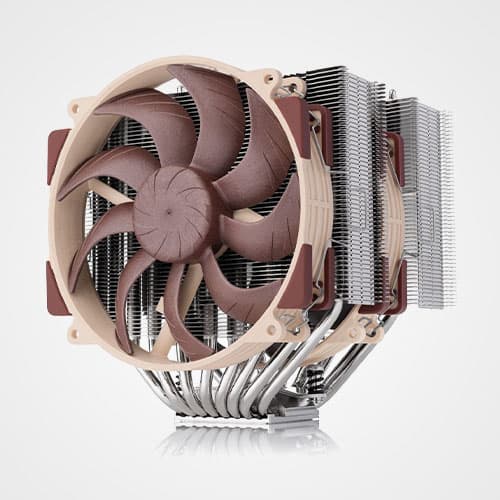
Proven 6 heatpipe design
Recommended by more than 100 international hardware websites and magazines, the NH-C12P heatsink is renowned for its excellent quality and thermal performance.
|
C-type design with Airflow-Gaps
Due to the down-facing design, two large Airflow-Gaps and the oversize 140mm fan, the NH-C12P SE14 provides superior cooling for near-socket motherboard components.
|
NF-P14 140mm premium fan
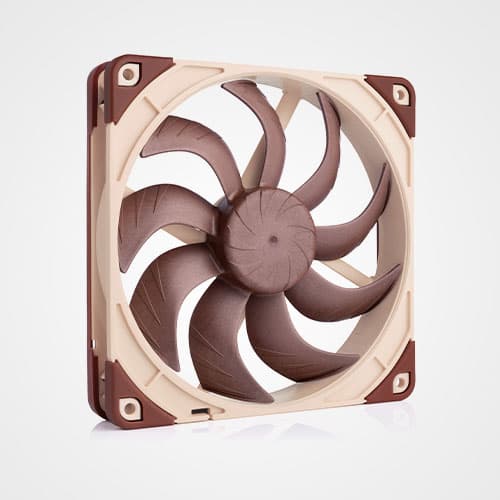
Further improving the original NH-C12P's much acclaimed quiet cooling performance, the NF-P14 is a highly optimised, premium quality 140mm fan with Vortex-Control Notches for superb quietness and outstanding aerodynamic efficiency.
|
High compatibility
The down-facing c-type design allows for low height as well as excellent motherboard and case compatibility, making the NH-C12P SE14 suitable for many smaller or desktop style cases.
|
SecuFirm2™ multi-socket mounting system
Noctua's enthusiast grade SecuFirm2™ multi-socket mounting provides broad socket compatibility (LGA1366, LGA1156, LGA1155, LGA1150, LGA775, AM2, AM2+, AM3, AM3+, FM1, FM2, FM2+) and meets the highest demands in safety, performance and ease-of-use.
|
Noctua NT-H1 high-end thermal compound
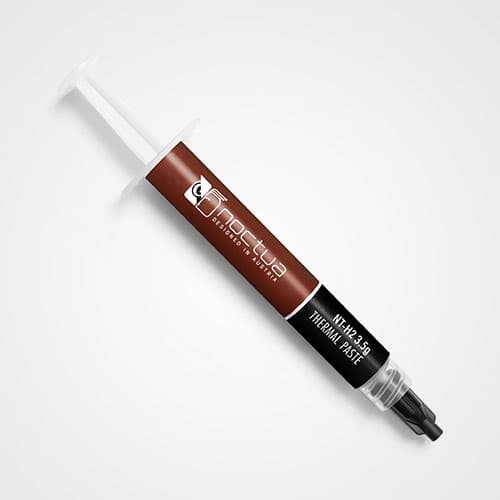
Noctua's much-acclaimed NT-H1 is a well proven pro-grade TIM solution that provides minimum thermal resistance, excellent ease-of-use and outstanding reliability.
|
|
||
|
Intel LGA1366, LGA1156, LGA1155, LGA1150, LGA775, LGA2011 on request, Asus X-socket™ & AMD AM2, AM2+, AM3, AM3+, FM1, FM2, FM2+ (backplate required)
|
||
|
Height (without fan)
90 mm
|
||
|
Width (without fan)
126 mm
|
||
|
Depth (without fan)
152 mm
|
||
|
Height (with fan)
114 mm
|
||
|
Width (with fan)
140 mm
|
||
|
Depth (with fan)
152 mm
|
||
|
Weight (without fan)
550 g
|
||
|
Weight (with fan/s)
730 g
|
||
|
Material
Copper (base and heat-pipes), aluminium (cooling fins), soldered joints & nickel plating
|
||
|
Fan compatibility
140x140x25mm / 120x120x25mm
|
||
|
Scope of Delivery
|
||
|
Warranty
6 Years
|
|
||
|
Model
|
||
|
Bearing
|
||
|
Rotational Speed (+/- 10%)
1200 RPM
|
||
|
Rotational Speed with L.N.A. (+/- 10%)
900 RPM
|
||
|
Rotational Speed with U.L.N.A. (+/- 10%)
750 RPM
|
||
|
83,7 m³/h
|
||
|
Acoustical Noise
19,6 dB(A)
|
||
|
Acoustical Noise with L.N.A.
13,2 dB(A)
|
||
|
Acoustical Noise with U.L.N.A.
10,1 dB(A)
|
||
|
Input Power
1,2 W
|
||
|
Voltage Range
12 V
|
||
|
MTTF
> 150.000 h
|
|
|||||||
NH-C12P SE14 Review
Kühler der österreichischen Kühlerspezialisten mit dem Steinkauz im Logo sind in unserer Redaktion stets gern gesehene Testprobanden. Noctua-Kühler wissen im Gegensatz zu Kühlern diverser anderer Hersteller schon vom ersten Moment an zu begeistern. Wie bisher alle Produkte der Österreicher zuvor auch, besticht der NH-C12P SE14 mit herausragend guter Verarbeitung, die bis ins Detail schlicht makellos ist. Die Materialien sind hochwertig, der Kühlerfuß ist penibelst poliert, die Heatpipes sauber gebogen, die Kühlfinnen mit ihren Sägezähnen präzise entgratet. Auch der als Lüfter zum Einsatz kommende NF-P14 ist aus wertigem Kunststoff gefertigt, die Materialstärke ist überzeugend, die Haptik ausgezeichnet.
Im Schatten des großen Bruders NH-C14, dem mächtigen Top-Blower mit zwei NF-P14, zeigt der NH-C12P SE14, dass er, obwohl im Spätherbst seines Produktionszyklus angelangt, eine ernstzunehmende Alternative darstellt - nicht nur zu besagtem, größeren und teureren Bruder, nicht nur zu den konkurrierenden kleinen, sondern auch zu vielen ausgewachsenen, ausladenden Tower-Kühlern, zu denen er per Definition nicht einmal in Konkurrenz steht. Die Kühlleistung allein ist als sehr gut zu bezeichnen, egal ob die automatische Lüftersteuerung des Mainboards eingreift oder wir die Drehzahl fixieren - und das in jeder Lebenslage unhörbar bis leise. Um das noch einmal herauszustreichen: Unhörbar ist der NH-C12P SE14 nur nicht, wenn wir seine Lüfterdrehzahl manuell in eine Region schieben, die wir mit unserer 125W-CPU unter automatischer Lüftersteuerung nicht in der Lage waren zu provozieren! Und selbst dann, selbst auf 1200rpm fixiert, entsteht nicht mehr als ein wahrnehmbares, aber nicht störendes Luftrauschen.
|
|||||||
|
Test verdict: "Mit dem Noctua NH-C12P SE14 runden die Kühlerspezialisten aus Österreich ihr Portfolio großer Top-Blower zwischen NH-C14 und NH-L12 mehr als gelungen ab. Der in seiner Urform NH-C12P bereits mehr als sieben Jahre am Markt befindliche Kühler aus der Alpenrepublik weiß durch seine herausragende Verarbeitung, beste Materialien und schiere Liebe zum Detail ebenso zu begeistern, wie durch seine für einen Top-Blower sehr guten Kühlwerte, die er durchweg unter geringster Geräuschentwicklung erreicht." (Benedikt Weiß, ComputerForum.de)
|
|||||||
|
|||||||
NH-C12P SE14 Review
Les NH-C12 étant le petit frère du NH-C14 les performances sont donc en deçà mais il reste tout à fait apte à refroidir le core i7 tout en étant plus compact, il faudra cependant faire attention aux températures en 5v dans un boitier qui n'a pas un bon flux d'air.
|
|||||||
|
Test verdict: "Est-ce que le petit frère du NH-C14 tient la route lorsqu'il s'agit de refroidir un Core i7 ? Je vous dirais que oui! Il faut prendre en compte l'usage de ce ventirad, qui est plutôt censé être utilisé dans un boitier HTPC et qui a donc des dimensions réduites par rapport aux ventirads de type Tour. Dans cet environnement là il remplira parfaitement son rôle et permettra même de refroidir les composants autour du socket." (Christian Marchini, Conseil Config)
|
|||||||
|
|||||||
NH-C12P SE14 Review
People recognize Noctua products when they see one because of the color scheme that they use on their fans and that's what makes Noctua unique from different manufactures. Noctua has gained a lot of positive recognition in the cooling market because of their exceptional CPU coolers and amazing fans. Their outstanding customer service is what sets them apart from every other manufacture.
Noctua's innovation with the NH-C12P SE14 and NH-C14 is exactly what the PC enthusiast industry needs and while these coolers might not hold the performance crown in our bench tests, they weren't designed to handle extreme overclocks in the first place. Like we said earlier, these coolers are designed for small enclosures and HTPC applications and that's where they shine. The NH-C14 was able to handle the 3770K at 4.6Ghz relatively well (under 80c) and that says a lot for a cooler that's specifically designed for small enclosures with little airflow.
|
|||||||
|
Test verdict: "Overall, both the NH-C14 and the NH-C12P SE14 come packed with whisper quiet fans and come loaded with a ton of useful accessories. The NH-C14 with two fans running at full speed was inaudible while we were running the 3770K at 4.6Ghz and the same goes for its little brother. Another great thing about Noctua's products is that they come with SecuFirm2 which makes the installation process so easy that it's not even funny." (Henry Peshkepija, RelaxedTech.com)
|
|||||||
|
|||||||
NH-C12P SE14 Review
Obydwa coolery w wykonaniu Noctua
znów nas nie zawiodły. Recenzowane konstrukcje są
bardzo dobrze wykonane, a także wydajne. Chłodzenia
prezentują się fantastycznie a sama jakość
wykonania jest nienaganna, a do tego można je
zainstalować na praktycznie wszystkich dostępnych
podstawkach
|
|||||||
|
Test verdict: "Obydwa coolery otrzymują zasłużoną
ocenę 4,5/5 oraz naszą rekomendacje!" (Rafał
Dryjer, PCTechReview.pl)
|
|||||||
|
|||||||
NH-C12P SE14 Review
Noctua's NH-C12P SE14 ser ret aggressiv ud, og virker ved første øjekast lidt vild med kølevinger der går helt ned til selve kølehovedet. Der er kun plads til én enkelt 120/140mm blæser, og der medfølger én 140mm som levere godt med luft til køleren. Selvom den ligger et par grader over NH-C14 er det stadig super flot klaret, og den slår stadig nogle at de andre store kølere som vi har testet.
|
|||||||
|
Test verdict: "God og solid køler som levere rigtig god køling uden at støje for meget. Derudover ser den også flot ud, hvis man altså kan lide den måde den er bygget op på." (John Thorn, ElektronikTest.dk)
|
|||||||
|
|||||||
NH-C12P SE14 Review
Sve činjenice idu u prilog od dosta sitnih
dodataka koji su neophodni za montažu pa i termalne paste koju retko koji
proizvođač isporučuje u paketu sa kulerom, a i najbitnija činjenica
da je montaža veoma jednostavna, pa može biti dovoljan razlog da vas
privuče ova kupovina. Ventilator koji se isporučuje u paketu veličine
140 mm, pri normalnom radu od 12V stvara nizak stepen buke, kako bi i to smanjili
Noctua u paketu isporučuju još dva naponska adaptera od 7V i 5V čime
dodatno smanjuju stepen buke a nama pružaju razlog više za kupovinu.
Negativne stvari nismo našli i ako smo se trudili, tako da na kraju možemo
samo doneti zaključak da je ovo izvanredan proizvod za ne tako mnogo novca.
|
|||||||
|
Test verdict: "NH-C12P SE14 je još jedan odličan proizvod iz Noctua-e. Ukoliko ste
tražili dovoljno jak kuler koji bi ohladio vaš procesor prilikom
overklokovanja a da ne potrošite dosta novca onda je ovo možda pravi
izbor." (Sasa Ristic, ITNetwork.rs)
|
|||||||
|
|||||||
NH-C12P SE14 Review
La progettazione lo rende compatibile con tantissime motherboard e Noctua è uno dei pochi produttori che ha un database di compatibilità sia con motherboard che ram che dovrebbe essere preso come riferimento da tutti i produttori di dissipatori.. è molto facile andare a controllare e capire se la scheda e le memorie che avete scelto vi daranno problemi con questo cooler.
Aggiungete la silenziosità, la relativa facilità di montaggio, l'efficacia e troverete pochi punti negativi a questo dissipatore, che permette anche overclock moderati magari su CPU con TDP basso o nel caso di Intel Core, senza tecnologia Hyperthreading. Se non desiderate overcloccare difficilmente troverete un processore, anche di fascia alta, che metterà in crisi questo cooler.
|
|||||||
|
Test verdict: "Noctua NH-C12P SE14 è un dissipatore efficace; considerato che è di tipo "top-down" si è ben difeso nei test, è molto silenzioso e data l'altezza contenuta si candida come una tra le soluzioni migliori per coloro che cercano un cooler poco rumoroso per sistemi HTPC o comunque da inserire in cabinet dalle dimensioni contenute soprattutto in larghezza." (Lorenzo Pasini, The Overclock Hole)
|
|||||||
|
|||||||
NH-C12P SE14 Review
W zestawie dostajemy dwa adaptery, dzięki którym możemy zredukować prędkość obrotową z 1200 RPM do 900 RPM i 750 RPM, uzyskując praktycznie bezgłośna pracę oraz wystarczającą wydajność.
|
|||||||
|
Test verdict: "Noctua NH-C12P SE14 to świetnie wykonany i estetycznie wyglądający cooler. W parze idzie również bardzo wysoka wydajność" (Wojciech Braś, infoBIT.pl)
|
|||||||
|
|||||||
NH-C12P SE14 Review
Dopo aver testato diversi dissipatori Noctua, rilevando sempre ottimi risultati, non ci stupiamo dell’ennesima prova di qualità offerta dall’NH-C12P SE14. Questo Cooler ci è piaciuto soprattutto perchè pur non avendo dimensioni esagerate risce a gestire tranquillamente CPU con TDP superiore a 130W con una ventola che anche a pieno regime risulta molto silenziosa.
Caratteristica dei dissipatori orizzontali poi è senza dubbio la doppia funzionalità che permette di raffreddare non solo il processore ma anche la zona socket con buoni risultati.
|
|||||||
|
Test verdict: "Anche se ormai risulta scontato quando si parla di dissipatori Noctua, ribadiamo qualora ce ne fosse bisogno, che il prodotto risulta impeccabile sotto il profilo costruttivo e del bundle." (Salvatore Gallo, Hardware - HDblog)
|
|||||||
|
|||||||
NH-C12P SE14 Review
Siamo giunti alla fase finale della recensione in cui dobbiamo tirare le conclusioni, Noctua è sicuramente un marchio da cui ci si aspetta molto e le nostre aspettative sono state tutte rispettate, partendo dalla cura del packing, passando per la completezza degli accessori in bundle fino ad arrivare alla qualità costruttiva dei dissiaptore e degli accessori si nota la cura dei dettagli e la progettazione non basata su una logica di risparmio.
|
|||||||
|
Test verdict: "Il Noctua NH-C12P SE14 viste le dimensioni più contenute si presta ad essere montato anche su case più piccoli, senza la ventola ha un altezza di 90mm, anche se il dissipatore non è stato progettato per funzionare fanless." (Pietro Pallozzi, TechStation.it)
|
|||||||
FAQs
Does the cooler offer sufficient clearance for my RAM modules?
I've got 2 adapter cables with the cooler. What's the difference between these cables?
Can I use Corsair Dominator RAM with the cooler?
Is the high weight dangerous for the CPU or socket?
Is it possible to mount fans with a greater height than 25mm?
I've got 2 adapter cables with the cooler. What's the difference between these cables?
Can I use Noctua fans on my fan controller?
In which orientation should top-flow coolers (NH-C series, NH-L12) be installed?
My fan doesn’t spin when I start up the PC - is it faulty?
Can I run Noctua 3-pin fans on 4-pin PWM connectors and use my mainboard’s automatic fan controller?
How can I check whether my case is wide/high enough for the cooler?
How much clearance for RAM or chipset coolers does the NH-C12P provide?
Does the cooler offer sufficient clearance for my RAM modules?
Is the cooler compatible with LGA1366 mainboards for Xeon 5500?
My mainboard has more than one set of mounting holes. Which one should I use?
I can't open the socket due to the mounting bars!
Does the package include a backplate for AMD AM2(+)/AM3(+)/FM1/FM2(+)?
The fan doesn’t start with the Ultra-Low-Noise Adaptor (ULNA)!
Is the mounting system compatible with LGA1155?
Is the cooler compatible with AMD AM3+ and FM1?
Is the cooler compatible with the Intel LGA2011 socket and Asus X-socket™?
How should I clean my Noctua cooler?
Can use the NF-A15 fan on my Noctua CPU cooler?
Is the cooler compatible with AMD FM2+?
Which Noctua coolers are compatible with LGA1150?
I’ve used all the NT-H1 thermal compound that came with the cooler, can you send me more?
Which sockets are supported or can be supported using upgrade kits?
How to remove the base protection cover?
Should I take the cooler off before transporting my system?
Are there any concerns using Noctua CPU coolers on Intel Skylake (LGA1151) CPUs?
Can I use Corsair Dominator RAM with the cooler?
Why doesn't the base of Noctua coolers have a polished, mirror like finish?
Can I keep using the backplate / mounting system of my previous Noctua cooler for my new one?
How much torque should be applied when tightening the screws of a Noctua CPU cooler?
Does the cooler offer sufficient clearance for my RAM modules?

I've got 2 adapter cables with the cooler. What's the difference between these cables?

Can I use Corsair Dominator RAM with the cooler?

Is the high weight dangerous for the CPU or socket?
Is it possible to mount fans with a greater height than 25mm?
I've got 2 adapter cables with the cooler. What's the difference between these cables?

Can I use Noctua fans on my fan controller?
In which orientation should top-flow coolers (NH-C series, NH-L12) be installed?

My fan doesn’t spin when I start up the PC - is it faulty?
Can I run Noctua 3-pin fans on 4-pin PWM connectors and use my mainboard’s automatic fan controller?

How can I check whether my case is wide/high enough for the cooler?
How much clearance for RAM or chipset coolers does the NH-C12P provide?

Does the cooler offer sufficient clearance for my RAM modules?

Is the cooler compatible with LGA1366 mainboards for Xeon 5500?

My mainboard has more than one set of mounting holes. Which one should I use?

I can't open the socket due to the mounting bars!


Does the package include a backplate for AMD AM2(+)/AM3(+)/FM1/FM2(+)?
The fan doesn’t start with the Ultra-Low-Noise Adaptor (ULNA)!
Is the mounting system compatible with LGA1155?
How can I check whether my AMD mainboard has a standard AMD backplate that’s compatible with the SecuFirm2™ mounting system and how should I proceed with the installation?
In order to proceed with the installation of your Noctua cooler, please remove the four screws and the retention module but keep the backplate in place so that you can see the screw threads from the top side of the motherboard (see third picture below). You can then proceed with the installation of the SecuFirm2™ mounting kit as described in the manual (see fourth picture below).


Is the cooler compatible with AMD AM3+ and FM1?
Is the cooler compatible with the Intel LGA2011 socket and Asus X-socket™?
Please also note that the cooler is fully compatible with Asus Rampage IV series LGA2011 motherboards that feature Asus X-socket™. Asus X-socket™ models use an interchangeable backplate that makes it possible to install LGA1366 heatsinks, so the cooler is fully compatible with these mainboards out of the box and does not require any upgrades to be installed.

In order to install the cooler on Asus X-socket™ mainboards, please first remove the mainboard’s LGA2011 backplate and install the LGA1366 backplate supplied with the mainboard instead (see the mainboard manual for detailed instructions). Then install the Noctua cooler as described in the supplied installation manual for LGA1366. In case you’ve lost the printed installation manual, you can download it here.
How should I clean my Noctua cooler?
Thermal paste residues: Whenever you take off the heatsink from the CPU, we recommend to clean the CPU as well as the base of the cooler before re-applying thermal paste and re-installing the cooler. You can either just wipe the base and the CPU clean with a dry, lint-free tissue or, for more thorough cleaning, use a lint-free tissue moistened with either a mild solution of washing-up liquid or isopropyl alcohol. Do not put the cooler or CPU under running water. Note that both the base of the heatsink and the CPU should be dry, free from residues of thermal compound and free from grease before re-applying thermal paste and re-installing the cooler.
Can use the NF-A15 fan on my Noctua CPU cooler?
Is the cooler compatible with AMD FM2+?
Which Noctua coolers are compatible with LGA1150?
The following coolers can be made compatible to LGA1150 using the NM-i115x Upgrade-Kit and are eligible for Noctua’s free mounting kit offer: NH-C12P, NH-U12, NH-U12F, NH-U12P, NH-U12P SE1366, NH-U9, NH-U9F, NH-U9B.
The following coolers can be made compatible to LGA1150 using the NM-i115x Upgrade-Kit but are not eligible for Noctua’s free mounting kit offer: DX-Series Xeon coolers, NH-D14 SE2011.
The following coolers are mechanically incompatible with the NM-i115x Upgrade-Kit and can not be made compatible with LGA1150: DO-Series AMD Opteron coolers, NH-L9a.
I’ve used all the NT-H1 thermal compound that came with the cooler, can you send me more?
Which sockets are supported or can be supported using upgrade kits?
How to remove the base protection cover?
The base of Noctua CPU coolers is made from hard-wearing nickel plated copper, so there's nothing to worry about if you buy a Noctua cooler from second hand or if your cooler didn't come with a protection cover. Please proceed with the installation as explained in the manual.
You can simply remove the cover as shown below:
Should I take the cooler off before transporting my system?
Are there any concerns using Noctua CPU coolers on Intel Skylake (LGA1151) CPUs?
Can I use Corsair Dominator RAM with the cooler?

Why doesn't the base of Noctua coolers have a polished, mirror like finish?
Can I keep using the backplate / mounting system of my previous Noctua cooler for my new one?
How much torque should be applied when tightening the screws of a Noctua CPU cooler?
| Screw type | Max. torque |
|---|---|
| NM-SSC1 screws for fixing the fastening brackets to the base of the heatsink | 0.5 Nm |
| NM-ITS1 thumb screws for fixing Intel mounting bars | 0.5 Nm |
| NM-ALS1 screws for fixing AMD mounting bars | 0.6 Nm |
| Spring-loaded screws for fixing the heatsink to the mounting bars | 0.6 Nm |
Do you have a question concerning one of our products? Please use this form to pose a question!