



heading
Details |
Based on the award-winning NH-D14
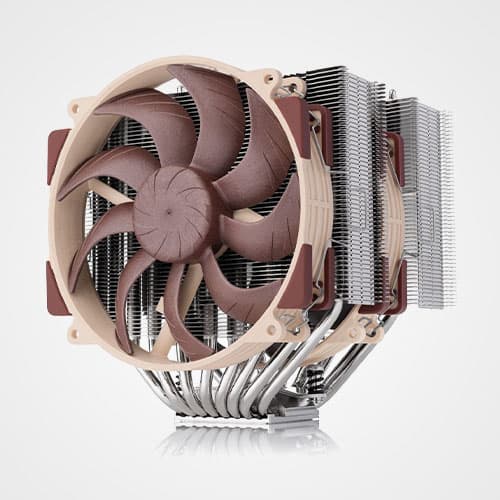
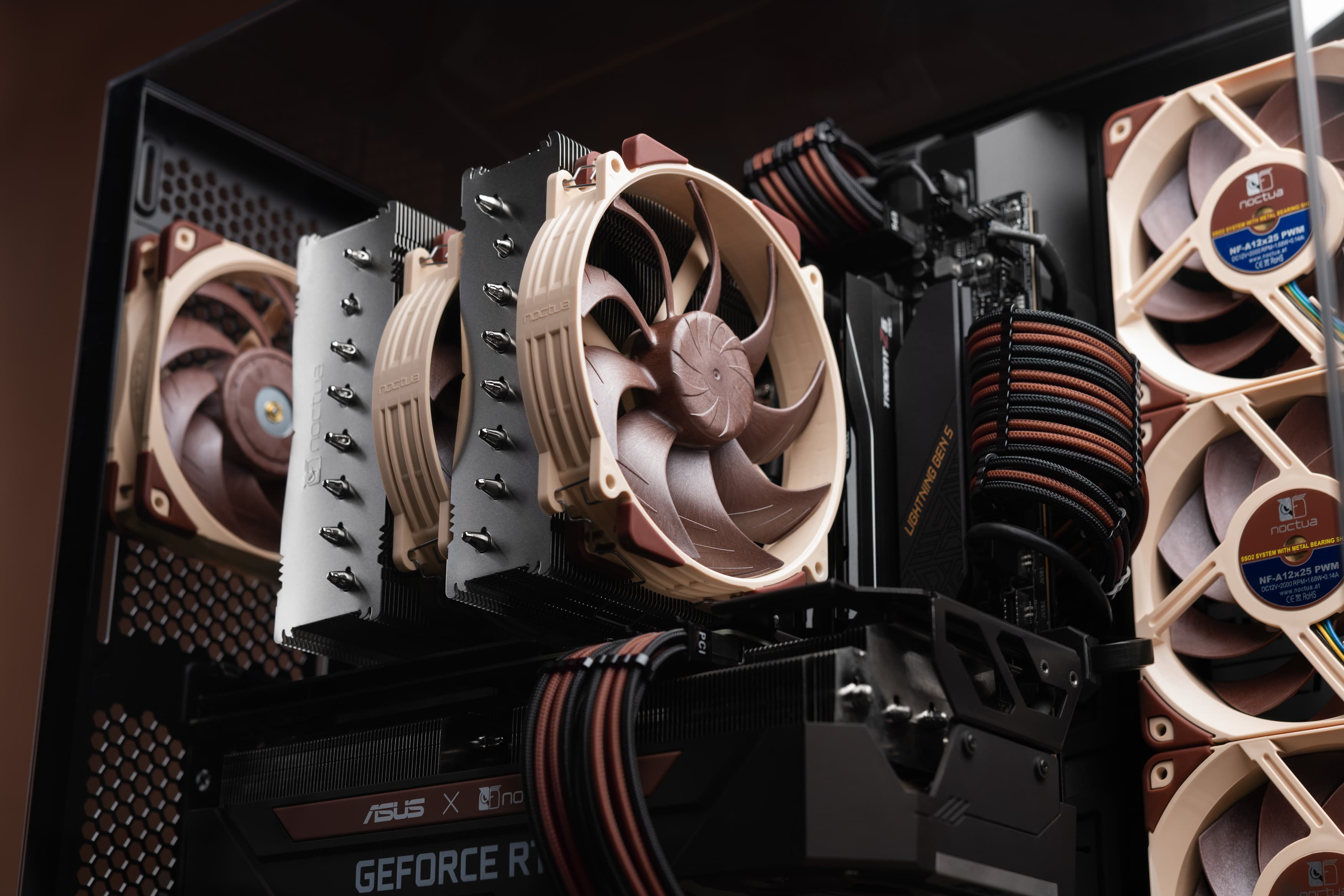
Noctua's NH-D14 has received more than 350 awards and recommendations from leading international hardware websites and magazines, making it one of the most successful premium heatsinks ever built. With its expanded layout and dual NF-A15 fans, the NH-D15 further improves the D14's much acclaimed quiet cooling performance.
|
6 heatpipe dual tower design
As compared to conventional single tower heatinks, the NH-D15's fine-tuned six heatpipe dual tower design provides more surface area, better heat-distribution and superior airflow efficiency in dual fan mode.
|
Widened fin stack and expanded heatpipe layout
Compared to the NH-D14, the NH-D15's fin-stack has been widened from 140 to 150mm and its heatpipes are now spaced further apart, which allows for a more uniform heat distribution over a larger surface area and thus contributes to the NH-D15's superior efficiency.
|
High RAM compatibility in single fan mode
Thanks to its recessed lower fins, the NH-D15 provides 64mm clearance for tall memory heatsinks in single fan mode, making it compatible with most high end RAM modules on the market. In dual fan mode, the NH-D15 should be used with standard height RAM (up to 32mm).*
|
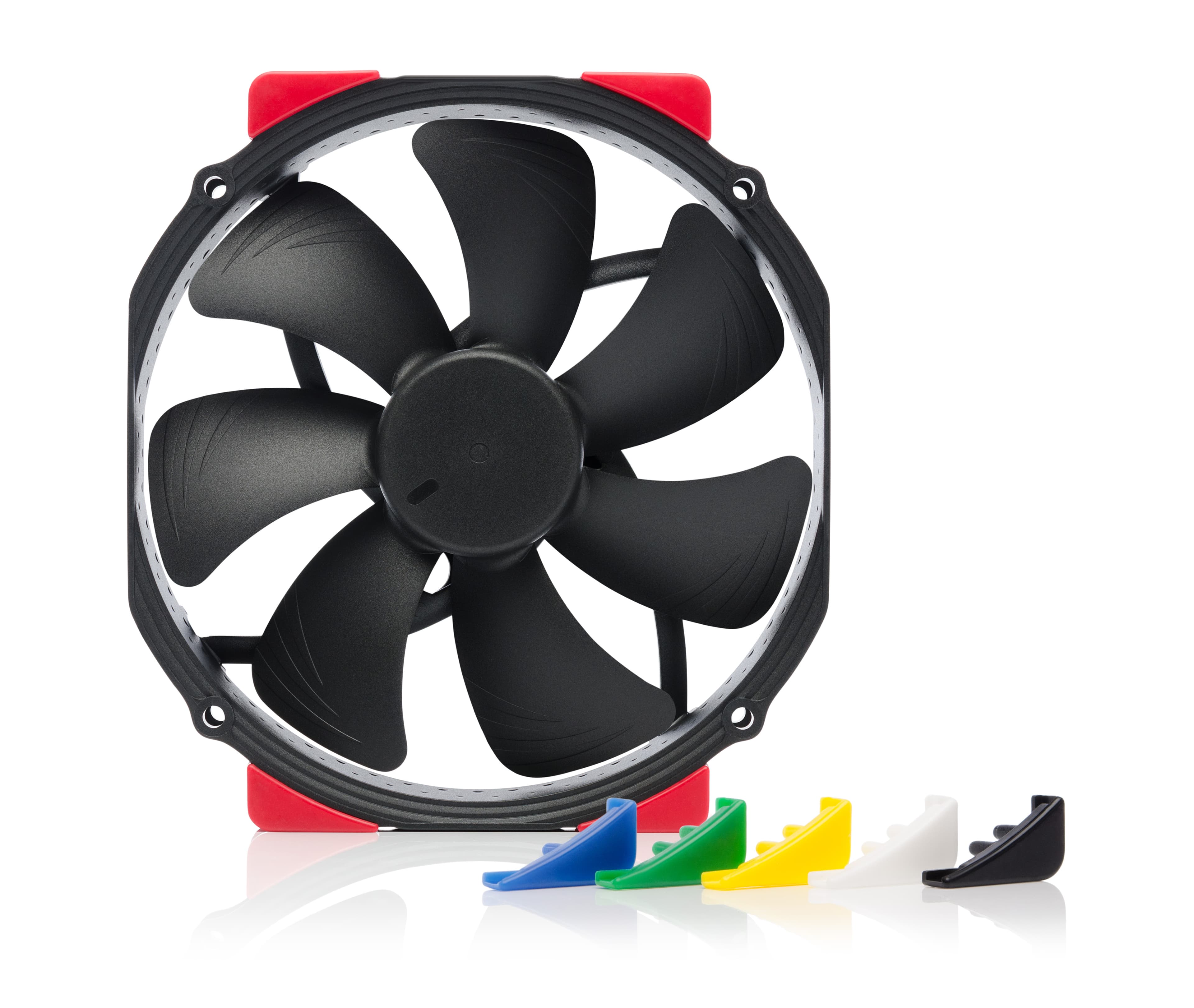
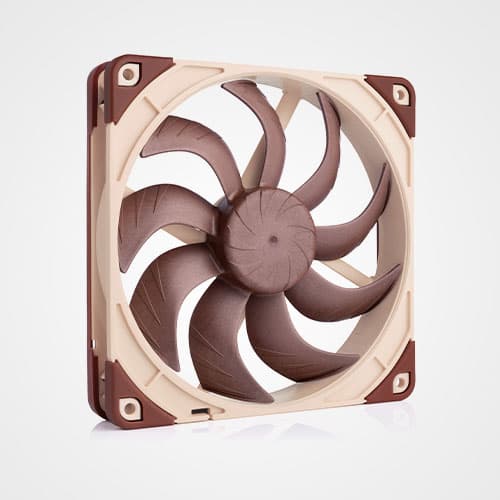
Dual NF-A15 140mm fans |
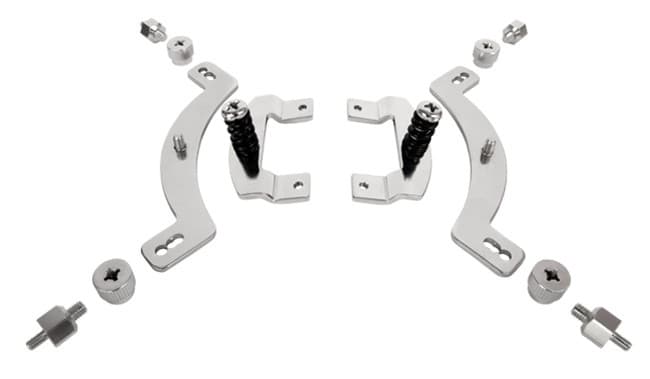
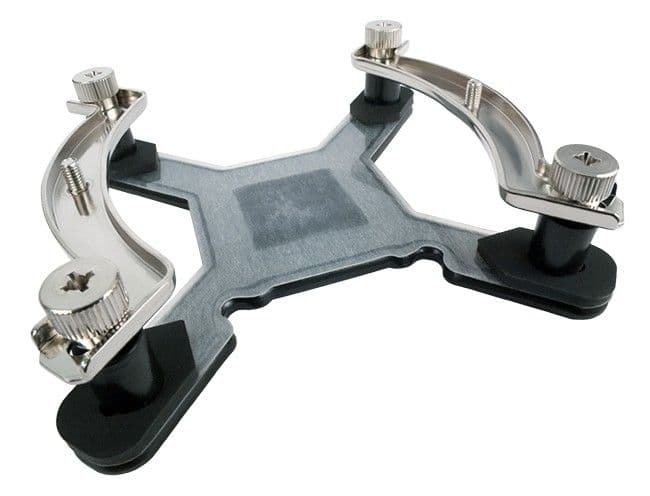
SecuFirm2™ mounting system
Noctua's SecuFirm2™ mounting systems have become synonymous with quality, safety and ease of use. Supporting Intel LGA115x (LGA1150, LGA1151, LGA1155, LGA1156), LGA2011 and AMD (AM3(+), AM2(+), FM1, FM2(+)), the SecuFirm2™ mounting included with the NH-D15 guarantees perfect contact pressure and maximum convenience on all current sockets.
|
Compatibility with past and future sockets |
NT-H1 thermal compound
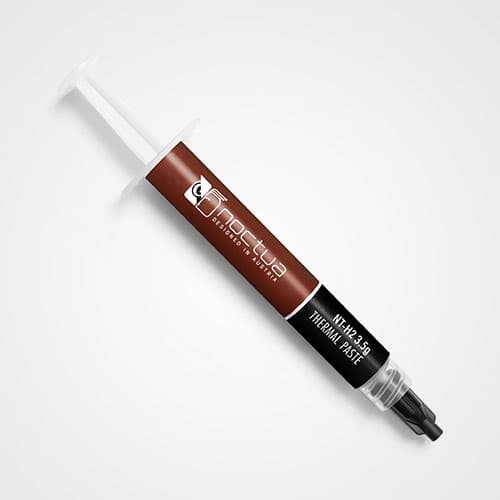
Noctua's much-acclaimed NT-H1 is a well proven pro-grade TIM solution that provides minimum thermal resistance, excellent ease-of-use and outstanding reliability, which makes it suitable for use in professional server and workstation environments.
|
|
*In chassis with more than 165mm CPU cooler clearance, the front fan can be moved upwards to make room for memory modules taller than 32mm.
|
|
||
|
Intel LGA2011-0 & LGA2011-3 (Square ILM), LGA1156, LGA1155, LGA1151, LGA1150 & AMD AM2, AM2+, AM3, AM3+, FM1, FM2, FM2+ (backplate required)
|
||
|
Height (without fan)
160 mm
|
||
|
Width (without fan)
150 mm
|
||
|
Depth (without fan)
135 mm
|
||
|
Height (with fan)
165 mm
|
||
|
Width (with fan)
150 mm
|
||
|
Depth (with fan)
161 mm
|
||
|
Weight (without fan)
980 g
|
||
|
Weight (with fan/s)
1320 g
|
||
|
Material
Copper (base and heat-pipes), aluminium (cooling fins), soldered joints & nickel plating
|
||
|
Max. TDP
see TDP guide
|
||
|
Fan compatibility
140x150x25 (with 120mm mounting holes),
140x140x25 (with 120mm mounting holes),
120x120x25
|
||
|
Scope of Delivery
|
||
|
Warranty
6 Years
|
|
||
|
Model
2x Noctua NF-A15 PWM
|
||
|
Bearing
|
||
|
%s
1500 RPM
|
||
|
Max. Rotational Speed with L.N.A. (+/- 10%)
1200 RPM
|
||
|
Min. Rotational Speed (PWM, +/-20%)
300 RPM
|
||
|
140,2 m³/h
|
||
|
115,5 m³/h
|
||
|
Max. Acoustical Noise
24,6 dB(A)
|
||
|
Max. Acoustical Noise with L.N.A.
19,2 dB(A)
|
||
|
Input Power
1,56 W
|
||
|
Voltage Range
12 V
|
||
|
MTTF
> 150.000 h
|
|
|
NH-D15
|
|
|
|
SecuFirm2™ Intel LGA115x installation
|
|
|
|
SecuFirm2™ Intel LGA2011 installation
|
|
|
|
SecuFirm2™ AMD installation (NM-AMB1)
|
|
|
The following video reviews have not been created by Noctua. Responsibility for the information and views expressed in the videos lies entirely with the authors.
|
|||||||
|
|
|||||||
|
|||||||
|
|
|||||||
|
|||||||
|
|
|||||||
|
|||||||
|
|
|||||||
|
|||||||
|
|
|||||||
|
|||||||
|
|
|||||||
|
|||||||
|
|
|||||||
|
|||||||
|
|
|||||||
|
|||||||
|
|
|||||||
|
|||||||
|
|
|||||||
|
|||||||
|
|
|||||||
|
|||||||
NH-D15 Review
Noctua NH-D15 to bezpośredni następca dwuwieżowego modelu NH-D14. Nie jest to już produkt nowy, na rynku jest od ponad dwóch lat - co oczywiście nic mu nie ujmuje. Jak wiadomo, sukcesor legendy może tylko... tworzyć nową legendę. I tak oto NH-D15 ma nieco większą powierzchnię rozpraszania ciepła i jeden ciepłowód ekstra. Troszkę pozmieniało się też w temacie wentylatorów - w poprzednim modelu był jeden 120 mm oraz jeden 140 mm. Teraz obydwa są 140 mm (typu oversized - z otworami 120 mm). Co dla niektórych może być istotne, są także szybsze i kręcą się z deklarowaną szybkością 1500 obr./min (realnie troszkę szybciej), mając przy tym 4-pinową wtyczkę PWM. Nie musimy więc stosować żadnych przejściówek spowalniających - płyta główna sama w sobie może zapewnić bardzo cichą pracę komputera. Mimo to producent, w myśl tradycji, takie przejściówki dołącza. Spowalniają one wentylatory do 1200 obr./min. Rozwijając kwestię wentylatorów, mogą one osiągać nawet nieco więcej niż 1500 obr./min - odbywa się to oczywiście kosztem kultury pracy na maksymalnych obrotach. A jaka jest wydajność? Jak widac na wykresach - rewelacyjna. Już teraz można powiedzieć, że to jedna z najwydajniejszych konstrukcji w całym teście. Nawet przy włączonej regulacji obrotów NH-D15 pokazuje pazurki. Skąd tak dobra wydajność? Jest ona związana przede wszystkim z jakością rurek cielnych, użytych materiałów, a także z tym, że finy są przylutowane do rurek cieplnych.
|
|||||||
|
Test verdict: "Bez wątpienia jest to cooler godny polecenia, o ile nie brak Wam gotówki." (Krzysztof Opacki , ITHardware.pl)
|
|||||||
|
|||||||
NH-D15 Review
Well guys, it's been an epic and certainly the largest written review we've ever done, and with a total of 35 coolers tested we feel it qualifies for the title "Mega Test". So what have we learned along the way. Well as suspected, the Noctuas largely dominated the performance charts with the Mighty NH-D15 taking top spot overall [...].
|
|||||||
|
Test verdict: "The Noctua NH-D15 earns itself a Performance award for being the coolest cooler that ever cooled. It seems it's going to take something very special to knock it off the top spot." (Gary Wain, Overclock3D.net)
|
|||||||
|
|||||||
NH-D15 Review
Für diesen Test haben wir noch weitere potente Kühler hinzugezogen um die Temperaturen miteinander zu vergleichen. Zum einheizen kam wieder Prime95 zum Einsatz, die Temperaturen haben wir nach 30 Minuten Prime abgenommen. Die Temperatur beim Spielen besteht aus einem Durchschnittswert, den wir in den Spielen – The Witcher 3, Star Wars Battlefront und Project Cars ermittelt haben. Für die Lüfter des Kühlers haben wir eine feste Kurve erstellt. Die Gehäuselüfter haben wir auf eine Leistung von 25% fixiert.
Die Kühler liegen alle recht nahe beieinander aber der Noctua NH-D15 hielt die CPU immer etwas kühler als die Konkurrenten. Während der gesamten Testphase waren die Lüfter des Kühlers unhörbar.
|
|||||||
|
Test verdict: "In unserem Test konnte sich der NH-D15 an der Spitze des Kühler Roundups platzieren und die meisten seiner direkten Konkurrenten hinter sich lassen. Der NH-D15 kann bedenkenlos allen Käufern empfohlen werden, die einen kompromisslosen Premium-Kühler suchen, der nicht nur sehr leistungsstark ist, sondern dabei auch noch Silent Qualitäten besitzt." (Sebastian Psotta, hardwareinside.de)
|
|||||||
|
|||||||
NH-D15 Review
To test the cooler out I used an i5-4690K that runs at 3.5GHz standard speed and at 3.9GHz boost.
I used Core Temp to measure how hot things got on the CPU, and to log temperatures for 10 minutes, then tested the processor using the CPU stress tool Prime95.
So how did the Noctua NH-D15 fair? Well at idle the CPU merrily chugged along at between 24-25c.
After a 10-minute test on Prime95, Core Temp recorded a temperature of 64c. This doesn’t really mean anything unless it’s compared to something, so I switched the NH-D15 out and reinstalled the stock CPU fan and cooler provided by Intel. As expected the stock cooler fared a lot worse. At idle the CPU was 33c, but following a 10-minute stress test on Prime95 the CPU temperature skyrocketed to 100c – way too hot!
So the NH-D15 at stock operation, managed to reduce the CPU’s temperature by around 8-9c, but was a massive 36c cooler following a stress test.
What this means is that investing in a cooler like the NH-D15 will go a long way to extending the life of your CPU, and will also help to cool the rest of your system too.
|
|||||||
|
Test verdict: "The verdict is in, and it’s good. If you’re looking for a near-liquid level of CPU cooling, but don’t want the extra work that comes with it, the Noctua NH-D15 is for you." (Chris Sealey, Building a Gaming PC)
|
|||||||
|
|||||||
NH-D15 Review
През последните няколко години компанията Noctua създаде много сериозно име в IT средите, особено когато става дума за охладители за процесори, или пък вентилатори за монтаж в компютърните шасита. Макар конкуренцията винаги да е била много сериозна, а понякога и доста добре ценово ориентирана, с високото ниво на качество на своите предложения, Noctua съумяха да се позиционират в най-високите нива на производители на споменатите компютърни продукти. Едва ли са много хората, които не са чували за вездесъщият процесорен охладител Noctua NH-D14, който междувпрочем съвсем скоро ще е напълно съвместим с процесорите на AMD с архитектура Zen и Socket AM4, благодарение на новите крепежни елементи, които от Noctua ще раздават (за пореден път) безплатно на всеки потребител, който може чрез документ да докаже, че притежава дънна платка и процесор за Socket AM4, както и разбира се охладител Noctua. Но да не се разсейваме излишно, ами да обърнем внимание конкретно на фокуса на този материал – процесорите Skylake и тяхното охлаждане.
|
|||||||
|
Test verdict: "Noctua е един от най-сериозните и постоянните производители на процесорни охладители, които присъстват на компютърният пазар и година след година радват своите потребители не само с нови модели охладители, но и с някои специфични “бонус програми”, като например безплатни монтажни елементи за поставяне на по-стари модели охладители върху нови процесорни платформи." (Тодор Богданов,
hardwareBG.com)
|
|||||||
|
|||||||
NH-D15 Review
Vendar pomembnejši od izkušnje namestitve ostaja sam performance – in glede na ceno mora biti ta biti izjemen. Z veseljem sporočam, da pa temu tudi je tako, saj je na naši i7 2600k v Fractal Design Define R3 pri ambientalni temperaturi 24 stopinj celzija ob poganjanju AIDA64 Extreme testa 30 minut procesor dosegel le 62 stopinj z enim ventilatorjem in 60 stopinj z dvema nameščenima ventilatorjema, brez LNA adapterjev. Za primerjavo, je npr. vodno hlajenje Corsair H100i, ki smo ga v ločenem projektu namestili tudi na grafično kartico- več o tem s klikom na tekst – pri Balanced nastavitvi dosegalo temperaturo 64 stopinj celzija in pri Maximum 61 stopinj celzija.
|
|||||||
|
Test verdict: "Vse to ob tem, da je zadeva bistveno tišja od vseh integriranih vodnih hlajenj in primerljivih zračnih hlajenj že brez Low Noise Adapterja, ko pa namestimo še tega in efektivno undervoltamo ventilatorje, pa postane ta popolnoma neslišen, temperatura se pa dvigne za 4 stopinje v našem primeru, kar je daleč od temperature na kateri se znižuje življenjska doba komponent, kaj šele da pride do nevarnosti pregrevanja." (Samo Zavašnik, Gaming.si)
|
|||||||
|
|||||||
NH-D15 Review
Najvýkonnejší, najúčinnejší, ale i najdrahší a najväčší
chladič v teste. Náskok oproti Fume je pomerne
malý, prehlbuje sa až pri nízkych
otáčkach, kde D15 zvýhodňuje väčšia plocha rebrovania.
|
|||||||
|
Test verdict: "Pokiaľ beriete ohľad nielen na účinnosť, ale i kvalitu
ventilátorov a celkové spracovanie vrátane montážneho
systému, je pre vás Noctua NH-D15 vo výbere
voľba číslo jeden." (Ľubomír Samák, PC Revue)
|
|||||||
|
|||||||
NH-D15 Review
Cette fois ci notre méthode de benchmark diffère légèrement. Notre Xeon n’étant pas suffisant pour mettre en difficulté ce monstre, nous utilisons donc un i7 5960x@4.3Ghz (vcore = 1.25). Au terme d’une longue heure de stress test CPU nous relevons un delta T de 55° (77° mesuré avec une température ambiante de 22°) sur le cœur le plus chaud et ce dans un silence absolu. Ce chiffre peut paraitre haut, mais il s’agit de dissiper pas loin de 250W en burn !
|
|||||||
|
Test verdict: "Un bundle complet, une qualité exceptionnelle, un montage des plus simples, des performances au rendez-vous et le tout en silence, ce NH-D15 est une grande réussite ! Les utilisateurs désirant des performances premium (pas d’accent) en Air Cooling ont ici un produit parfait !" (Alessandro Gallo, Passion-Hardware.com)
|
|||||||
|
|||||||
NH-D15 Review
Comme vous pouvez le voir sur le graphique, les tests de température sur le i3 550 sont également très concluants. En effet, au repos, le CPU ne dépasse pas les 27° ce qui est très confortable pour un processeur en usage courant. A plein régime (c’est-à-dire après 30 minutes d’OCCT), le CPU varie entre 47 et 52 degrés, c’est même mieux que certaines performances de watercooling !
|
|||||||
|
Test verdict: "Globalement ce radiateur est un très bon produit, on le recommandera à tous ceux qui souhaitent un CPU bien au frais sans les nuisances sonores ni le risque de prendre un AiO ou watercooling custom ! Son prix étant d’environ 90€, il se place dans les radiateurs chers, mais il vient méchamment titiller les performances des watercoolings de la même gamme de prix." (Alexis Fayet, MacFay Hardware)
|
|||||||
|
|||||||
NH-D15 Review
NH-D15 è consigliato per chi ha configurazioni spinte o possiede CPU che scaldano parecchio. E’ un dissipatore che possiede un costo non certo indifferente, ma li merita tutti per la sua altissima qualità. Noctua regala ben 6 anni di garanzia sui suoi prodotti a conferma e sicurezza della qualità dei suoi prodotti.
|
|||||||
|
Test verdict: "Semplicemente uno dei migliori dissipatori ad aria in commercio." (Marco Rinaldi, TecnoUser.net)
|
|||||||
FAQs
How can I check whether my case is wide/high enough for the cooler?
I can't open the socket due to the mounting bars!
Does the package include a backplate for AMD AM2(+)/AM3(+)/FM1/FM2(+)?
I get a CPU fan error using my Noctua PWM fan, is it faulty?
Does the mounting-system support LGA2011 based Xeon CPUs?
How should I clean my Noctua cooler?
Why is the cooler’s contact surface slightly convex?
Is the cooler compatible with LGA775 and LGA1366?
I’ve used all the NT-H1 thermal compound that came with the cooler, can you send me more?
Which sockets are supported or can be supported using upgrade kits?
How big is the NH-D15 and how much clearance does it provide for RAM and chipset coolers?
Can I install a third fan on the NH-D15?
Is the cooler compatible with the LGA2011-3 socket?
My Noctua PWM fan starts to spin when the PC boots but then stops, what is wrong?
My Noctua PWM fan runs at a much higher minimum speed than advertised, what is wrong?
Can I install a Noctua cooler in my system from Acer, Dell, HP or Lenovo?
I'm experiencing fan speed issues with my motherboard from Supermicro, what can I do?
Is the cooler compatible with the LGA1151 socket?
Why doesn't the supplied backplate fit my LGA2011 motherboard?
My case supports CPU coolers of up to XXXmm height, which model should I choose?
Can I use Low-Noise Adaptors with y-cables / multiple fans?
How to remove the base protection cover?
Can the cooler be installed turned by 90° on AMD sockets?
I have difficulties installing the cooler, can you help?
Should I take the cooler off before transporting my system?
Can I install a 140mm fan with a square frame (e.g. NF-A14)?
Are there any concerns using Noctua CPU coolers on Intel Skylake (LGA1151) CPUs?
Why doesn't the base of Noctua coolers have a polished, mirror like finish?
The supplied y-cable is missing a wire at one of the two connectors, is it faulty?
How can I check if my 4-pin fan header supports PWM?
Can I keep using the backplate / mounting system of my previous Noctua cooler for my new one?
How much torque should be applied when tightening the screws of a Noctua CPU cooler?
How can I check whether my case is wide/high enough for the cooler?
I can't open the socket due to the mounting bars!


Does the package include a backplate for AMD AM2(+)/AM3(+)/FM1/FM2(+)?
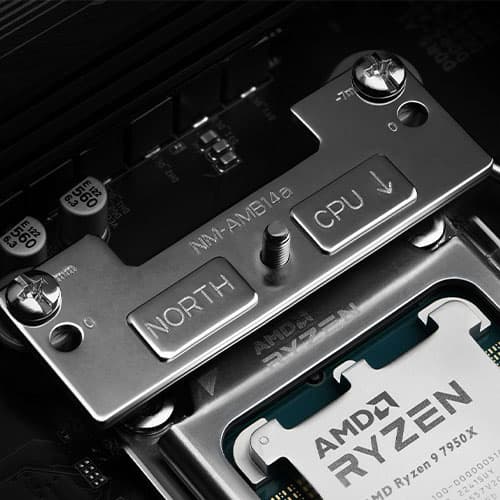
How can I check whether my AMD mainboard has a standard AMD backplate that’s compatible with the SecuFirm2™ mounting system and how should I proceed with the installation?
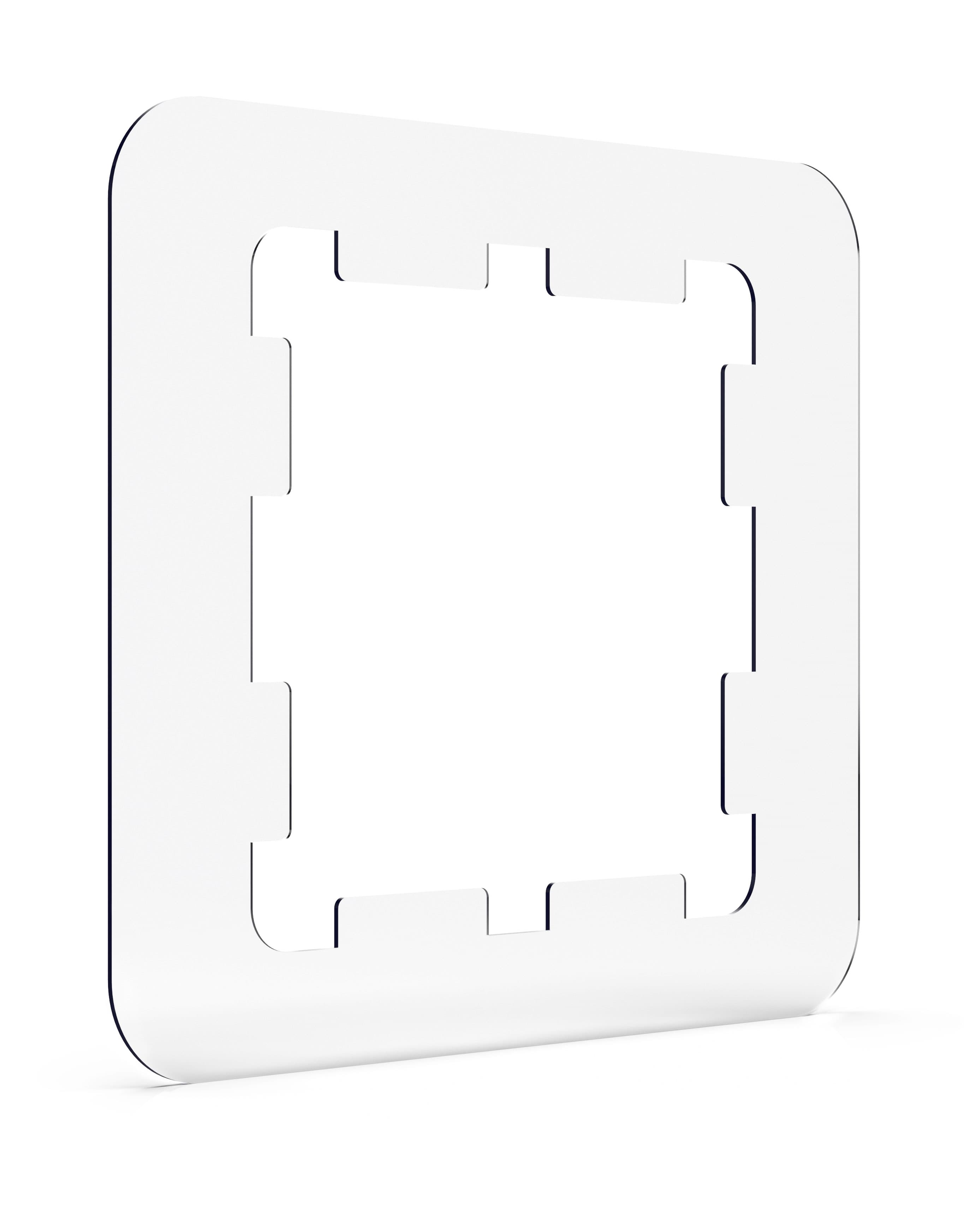
In order to proceed with the installation of your Noctua cooler, please remove the four screws and the retention module but keep the backplate in place so that you can see the screw threads from the top side of the motherboard (see third picture below). You can then proceed with the installation of the SecuFirm2™ mounting kit as described in the manual (see fourth picture below).


I get a CPU fan error using my Noctua PWM fan, is it faulty?
Does the mounting-system support LGA2011 based Xeon CPUs?
How should I clean my Noctua cooler?
Thermal paste residues: Whenever you take off the heatsink from the CPU, we recommend to clean the CPU as well as the base of the cooler before re-applying thermal paste and re-installing the cooler. You can either just wipe the base and the CPU clean with a dry, lint-free tissue or, for more thorough cleaning, use a lint-free tissue moistened with either a mild solution of washing-up liquid or isopropyl alcohol. Do not put the cooler or CPU under running water. Note that both the base of the heatsink and the CPU should be dry, free from residues of thermal compound and free from grease before re-applying thermal paste and re-installing the cooler.
Why is the cooler’s contact surface slightly convex?
Is the cooler compatible with LGA775 and LGA1366?
I’ve used all the NT-H1 thermal compound that came with the cooler, can you send me more?
Which sockets are supported or can be supported using upgrade kits?
How big is the NH-D15 and how much clearance does it provide for RAM and chipset coolers?

The front fins of the NH-D15 generally protrude over the RAM slots. Due to the recessed lower fins, it is still possible to use RAM modules with up to 64mm height in single fan mode. In dual fan mode, the front fan will sit above the RAM slots as well. In this case, Noctua recommends using standard height RAM (up to 32mm). However, in chassis with more than 165mm CPU cooler clearance, the front fan can be moved upwards to make room for memory modules taller than 32mm (e.g. moving the fan 5mm up will increase the total height from 165 to 170mm and make room for 37mm tall modules).
Can I install a third fan on the NH-D15?
Is the cooler compatible with the LGA2011-3 socket?
My Noctua PWM fan starts to spin when the PC boots but then stops, what is wrong?

Note that mainboard manufacturers use different terms to indicate that Pin 4 is not being used for PWM control (e.g. “+5V”, “VCC” or “NC”), but if one of these terms is used, you can be sure that the fan header does not support PWM. If Pin 4 is described as “Speed Control” or “PWM” or the like, you can be sure that the fan header supports PWM.
Unfortunately, the description of Pin 2 is not always a clear indication as some manufacturers use terms such as “Fan PWR” or “Power” for both types of fan headers. However, if Pin 2 is described as “Speed Control”, you can also be sure that the fan header does not support PWM based speed control. If Pin 2 is described as “+12V”, this is a clear indication that the fan header supports PWM.
Please also note that in some cases, the descriptions of the pin layouts in the mainboard manuals may not be correct and some models actually allow you to switch the fan headers from voltage control mode to PWM control mode in the BIOS even though the pin descriptions do not indicate PWM support. We thus recommend to look for these options in the BIOS before taking other measures. In case of doubt, please contact your mainboard manufacturer.
To resolve the issue, you can:
Choose a higher fan speed profile in the BIOS (e.g. „normal“ instead of „silent“, etc.) or deactivate automatic fan speed control and use a Low-Noise Adaptor instead.
Use the mainboard‘s fan speed control software or 3rd party tools like Speedfan to regulate the fan speed. Unlike BIOS based fan speed control, the supplied software usually checks whether the fan has stopped and increases voltage accordingly or at least offer more options to set up the fan properly.
If your mainboard features other 4-pin fan headers that use PWM for speed control, you can run multiple fans from these headers using Y-split cables. Make sure not to exceed the specified maximum power draw of the fan headers (usually 10-12W) though.
My Noctua PWM fan runs at a much higher minimum speed than advertised, what is wrong?
- Many mainboards do not go below 40%, 50% or even 60% PWM duty cycle on case fan headers. Please refer to your mainboard manual to verify whether the fan header actually goes down to 20% duty cycle. If that's not the case, in some cases you can use the fan speed control software supplied with your mainboard to overcome these limitations and reduce the fan speed even further. However, 3rd party tools like SpeedFan offer greater flexibility and better options to work around the limitations imposed by the mainboard vendors.
- Some mainboards feature 4-pin fan headers that actually don‘t use a PWM signal on Pin 4 to control the fan speed but rather reduce the voltage on Pin 2 (like a standard 3-pin fan header). As the fan speed at minimum voltage is usually higher than the speed at 20% PWM duty cycle, the fan can not reach as low minimum speeds under voltage control as under PWM control. Please refer to your mainboard manual to check whether or not your mainboard has 4-pin fan headers that control the fan speed by reducing voltage on Pin 2 rather than by changing the PWM duty cycle on Pin 4:

Note that mainboard manufacturers use different terms to indicate that Pin 4 is not being used for PWM control (e.g. “+5V”, “VCC” or “NC”), but if one of these terms is used, you can be sure that the fan header does not support PWM. If Pin 4 is described as “Speed Control” or “PWM” or the like, you can be sure that the fan header supports PWM.
Unfortunately, the description of Pin 2 is not always a clear indication as some manufacturers use terms such as “Fan PWR” or “Power” for both types of fan headers. However, if Pin 2 is described as “Speed Control”, you can also be sure that the fan header does not support PWM based speed control. If Pin 2 is described as “+12V”, this is a clear indication that the fan header supports PWM.
Please also note that in some cases, the descriptions of the pin layouts in the mainboard manuals may not be correct and some models actually allow you to switch the fan headers from voltage control mode to PWM control mode in the BIOS even though the pin descriptions do not indicate PWM support. We thus recommend to look for these options in the BIOS before taking other measures. In case of doubt, please contact your mainboard manufacturer.
If your mainboard features other 4-pin fan headers that use PWM for speed control, you can run multiple fans from these headers using Y-split cables. Make sure not to exceed the specified maximum power draw of the fan headers (usually 10-12W) though.
What Thermal Design Power (TDP) is this cooler recommended for and how much Watt (W) of heat can it dissipate?
Can I install a Noctua cooler in my system from Acer, Dell, HP or Lenovo?
Systems from Acer, Dell, HP or Lenovo often use motherboards which differ slightly from the specifications issued by Intel and AMD. While those changes are usually subtle, they can led to compatibility issues with coolers that where built to comply with these specifications.
Even in case the cooler is mechanically compatible and can be installed, other issues can occur, e.g. proprietary fan connectors, BIOS errors due to a low fan speed, shutdowns, etc. Some of these problems can be avoided with some technical knowledge, but especially BIOS related can often not be resolved.
Due to the large number of possible issues with systems from Acer, Dell, HP and Lenovo, which can't be resolved with different mounting parts alone, Noctua does not officially support such machines.
I'm experiencing fan speed issues with my motherboard from Supermicro, what can I do?
The BIOS of many motherboard models from Supermicro expects a certain minimum fan speed (usually 700rpm), which is higher than the minimum fan speed that can be achieved with Noctua's PWM fan models. The BIOS may interpret the low minimum RPM of Noctua fans as a fan error and thus try to run the fan at 100% for a short period before going back to automatic control.. This can result in oscillating fan speeds and fan speed warnings in the BIOS or the fan management console.
Unfortunately there is usually no option to set a lower minimum value that would suit the low minimum speed of Noctua PWM fans.The issue can thus only be resolved by either disabling automatic fan speed control in BIOS, which will cause the fans to run at a constant speed, or by requesting a modified BIOS file from Supermicro, which takes the minimum fan speed of Noctua fans into account (charges might apply).
Is the cooler compatible with the LGA1151 socket?
Why doesn't the supplied backplate fit my LGA2011 motherboard?
My case supports CPU coolers of up to XXXmm height, which model should I choose?
Can I use Low-Noise Adaptors with y-cables / multiple fans?
Yes, Low-Noise Adaptors (L.N.A.s) can be used with y-cables, but please make sure to use one L.N.A. per fan and to place the L.N.A.s between the y-cable and the fans as shown below. Never use one L.N.A. for two (or more fans) by placing it between the mainboard and the y-cable!

How to remove the base protection cover?
The base of Noctua CPU coolers is made from hard-wearing nickel plated copper, so there's nothing to worry about if you buy a Noctua cooler from second hand or if your cooler didn't come with a protection cover. Please proceed with the installation as explained in the manual.
You can simply remove the cover as shown below:
Can the cooler be installed turned by 90° on AMD sockets?
I have difficulties installing the cooler, can you help?
Should I take the cooler off before transporting my system?
Can I install a 140mm fan with a square frame (e.g. NF-A14)?
Are there any concerns using Noctua CPU coolers on Intel Skylake (LGA1151) CPUs?
Is it a problem that the CPU heatspreader is not covered completely by the heatsinkbase on LGA2011-3?
Why doesn't the base of Noctua coolers have a polished, mirror like finish?
The supplied y-cable is missing a wire at one of the two connectors, is it faulty?
How can I check if my 4-pin fan header supports PWM?

Note that mainboard manufacturers use different terms to indicate that Pin 4 is not being used for PWM control (e.g. “+5V”, “VCC” or “NC”), but if one of these terms is used, you can be sure that the fan header does not support PWM. If Pin 4 is described as “Speed Control” or “PWM” or the like, you can be sure that the fan header supports PWM.
Unfortunately, the description of Pin 2 is not always a clear indication as some manufacturers use terms such as “Fan PWR” or “Power” for both types of fan headers. However, if Pin 2 is described as “Speed Control”, you can also be sure that the fan header does not support PWM based speed control. If Pin 2 is described as “+12V”, this is a clear indication that the fan header supports PWM.
Please also note that in some cases, the descriptions of the pin layouts in the mainboard manuals may not be correct and some models actually allow you to switch the fan headers from voltage control mode to PWM control mode in the BIOS even though the pin descriptions do not indicate PWM support. We thus recommend to look for these options in the BIOS before taking other measures. In case of doubt, please contact your mainboard manufacturer.
If your mainboard features other 4-pin fan headers that use PWM for speed control, you can run multiple fans from these headers using Y-split cables. Make sure not to exceed the specified maximum power draw of the fan headers (usually 10-12W) though.
Can I keep using the backplate / mounting system of my previous Noctua cooler for my new one?
How much torque should be applied when tightening the screws of a Noctua CPU cooler?
| Screw type | Max. torque |
|---|---|
| NM-SSC1 screws for fixing the fastening brackets to the base of the heatsink | 0.5 Nm |
| NM-ITS1 thumb screws for fixing Intel mounting bars | 0.5 Nm |
| NM-ALS1 screws for fixing AMD mounting bars | 0.6 Nm |
| Spring-loaded screws for fixing the heatsink to the mounting bars | 0.6 Nm |
Do you have a question concerning one of our products? Please use this form to pose a question!