




What pin configuration do Noctua fans use?

All Noctua 24V, 12V and 5V fans, fan controllers, cables and other accessories such as Low-Noise Adaptors use the same standard pin-assignment that has been specified by Intel and AMD. Please refer to the illustrations below to identify the function of each wire colour of your fan.

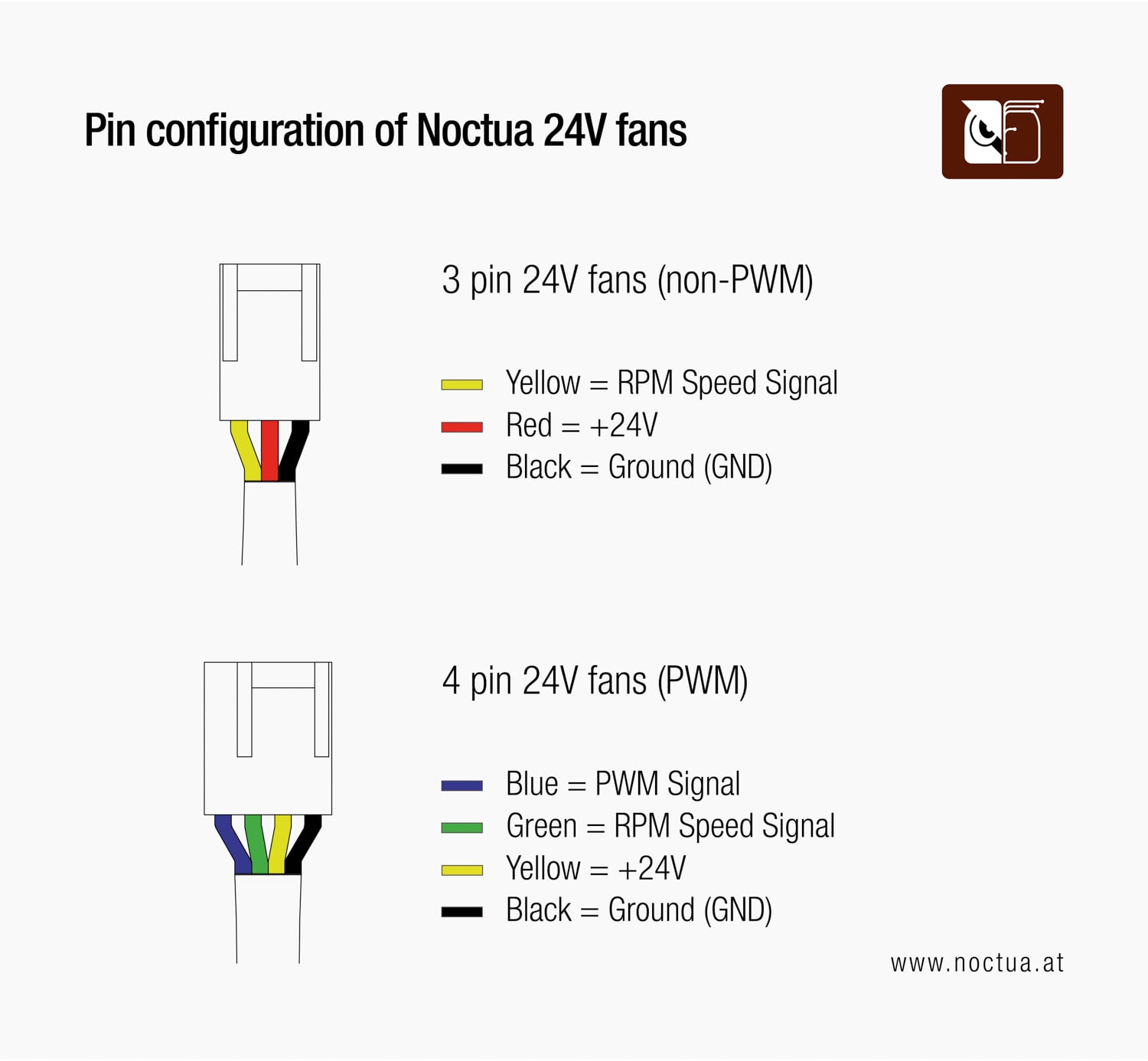
Illustration of the pin configuration with the following text.: 3 pin 12V fans (non-PWM): Yellow = RPM Speed Signal, Red = +12V, Black = Ground (GND); 4 pin 12V fans (PWM): Blue = PWM Signal (+5V), Green = RPM Speed Signal; Yellow = +12V, Black = Ground (GND)
Diagram showing the pin configuration for Noctua 24V fans. The 3-pin fan has yellow (RPM speed signal), red (+24V), and black (ground) wires. The 4-pin PWM fan has blue (PWM signal), green (RPM speed signal), yellow (+24V), and black (ground) wires.
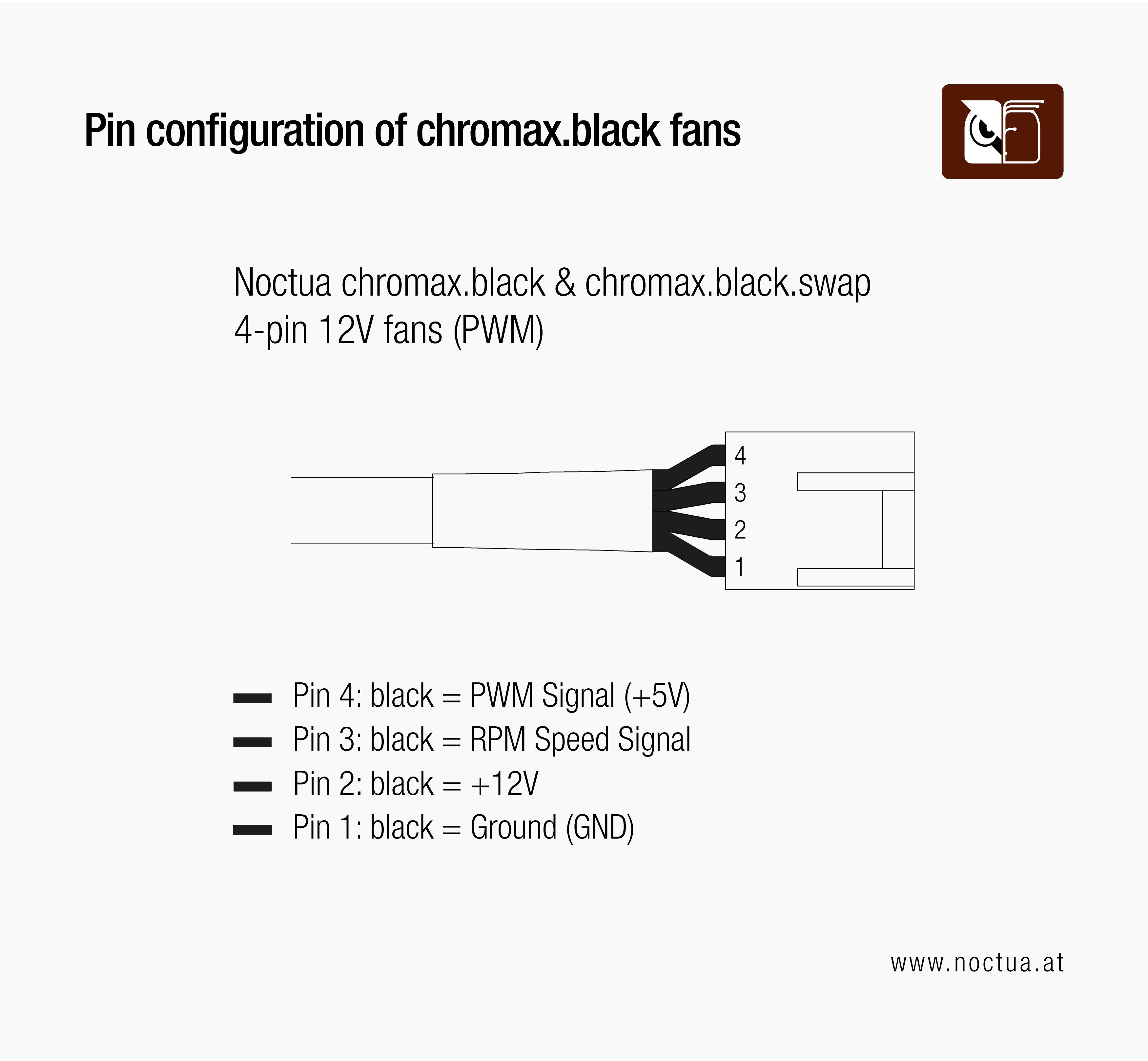
Diagram showing the pin configuration for Noctua chromax.black and chromax.black.swap 4-pin 12V PWM fans. All wires are black, with functions distinguished by position: Pin 4 = PWM signal (+5V), Pin 3 = RPM speed signal, Pin 2 = +12V, and Pin 1 = Ground.
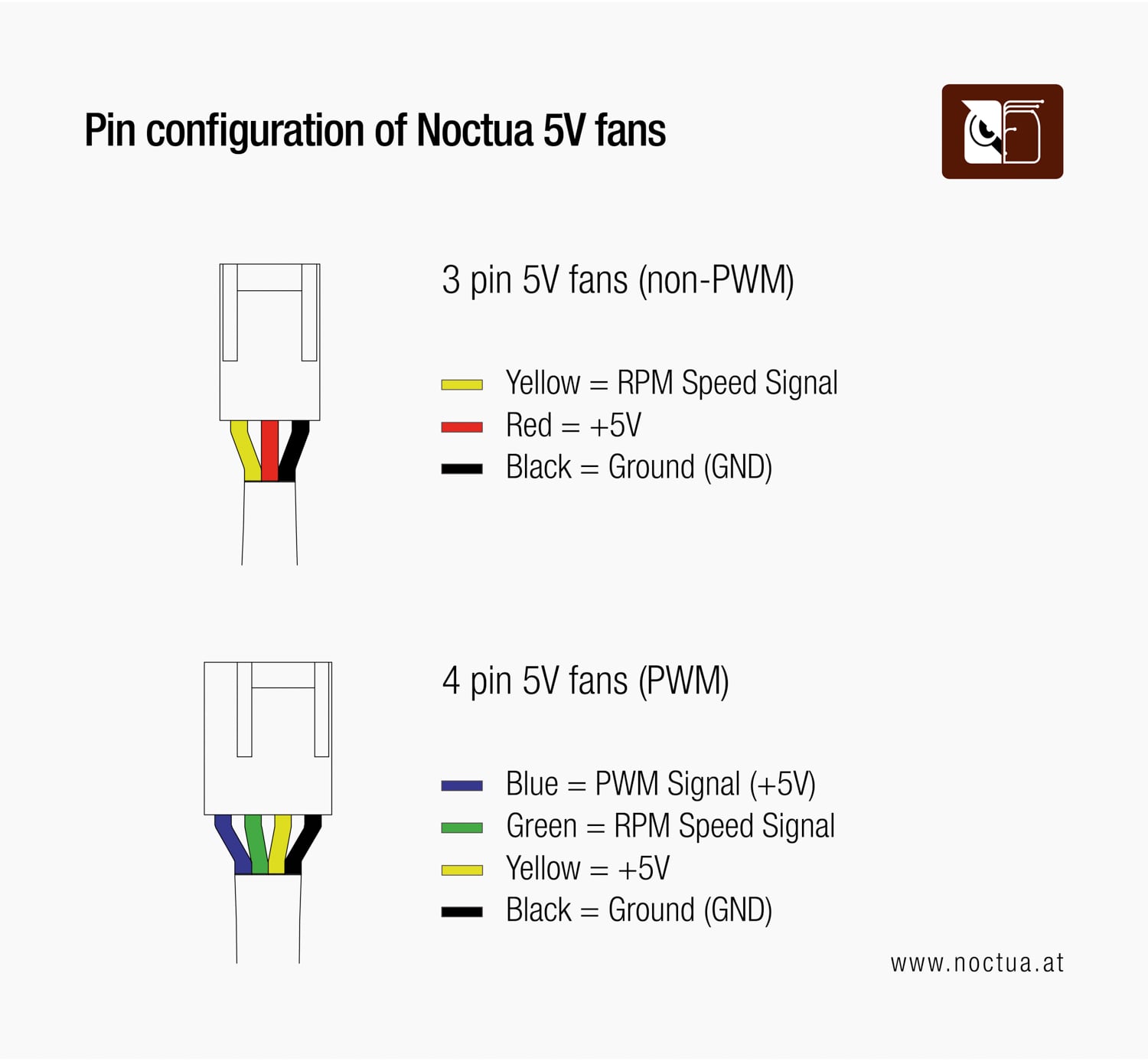
Diagram showing the pin configuration for Noctua 5V fans. The 3-pin fan uses yellow (RPM signal), red (+5V), and black (ground) wires. The 4-pin PWM fan uses blue (PWM signal), green (RPM speed signal), yellow (+5V), and black (ground) wires.

If you are looking for information regarding the implementation of PWM (Pulse Width Modulation) speed control in Noctua 4-pin PWM fans, please see our PWM specification white paper or take a look at our guide on controlling our fans with a microcontroller.